
Monorepos let multiple applications and libraries share code seamlessly in a single repository. For example, you might have distinct frontend and backend apps built by different teams in the same repository that share libraries. Or, maybe your core web app and marketing site are in a single repository so they can share common UI components.
While monorepos streamline collaboration and reduce code duplication, they introduce complexity when it comes to deployment. Each app in a monorepo could have its own test suite, linting rules, and build process. Managing deployments across all the applications is time consuming without a system that understands how all the various libraries, test suites, and apps fit together. This is where dedicated tooling like Nx and Turborepo shine.
Firebase App Hosting has long supported Nx. Today, we’re excited to announce that App Hosting also supports Turborepo!
What is Turborepo, and why should you use it?
Turborepo is a high-performance build system designed for scaling JavaScript and TypeScript monorepos and is especially popular in Next.js apps. With a few lines of config, Turborepo can build and deploy monorepos reliably and quickly thanks to its emphasis on task scheduling and parallelization.
Minimal configuration
A turbo.json file at the project root allows us to define “tasks”. Tasks are a core concept of Turborepo. In brief, they’re like npm scripts, with the key difference being that you can specify if certain tasks (like test) are dependent on other tasks completing first (e.g. build).
Reliable deployments with task scheduling
Based on the tasks we’ve defined, Turborepo builds a dependency graph of all the tasks to ensure everything builds in the correct order—for example, building a shared ui package before the apps that depend on it.
Turborepo’s intelligent task scheduling makes deployments more reliable by ensuring upstream dependencies are built before the applications that consume them.
Faster builds with parallel execution
Since Turborepo understands the relationship between tasks, it can intelligently schedule and execute independent tasks in parallel. For example, if two apps (such as webapp and docs) don’t depend on each other, Turborepo will build them both at the same time, which is much faster than running them one by one.
How it works with App Hosting
Let’s say a repo looks something like this, with turbo.json at the root and the app you want to deploy, target-app, within the apps subdirectory:
├── packages
├── apps
│ └── target-app
│   ├── package.json
│   └── src
│     └── ...
├── turbo.json
├── package.json
└── package-lock.json
When you deploy with App Hosting, App Hosting now automatically analyzes the root turbo.json, builds all the necessary dependencies, and deploys just the target application.
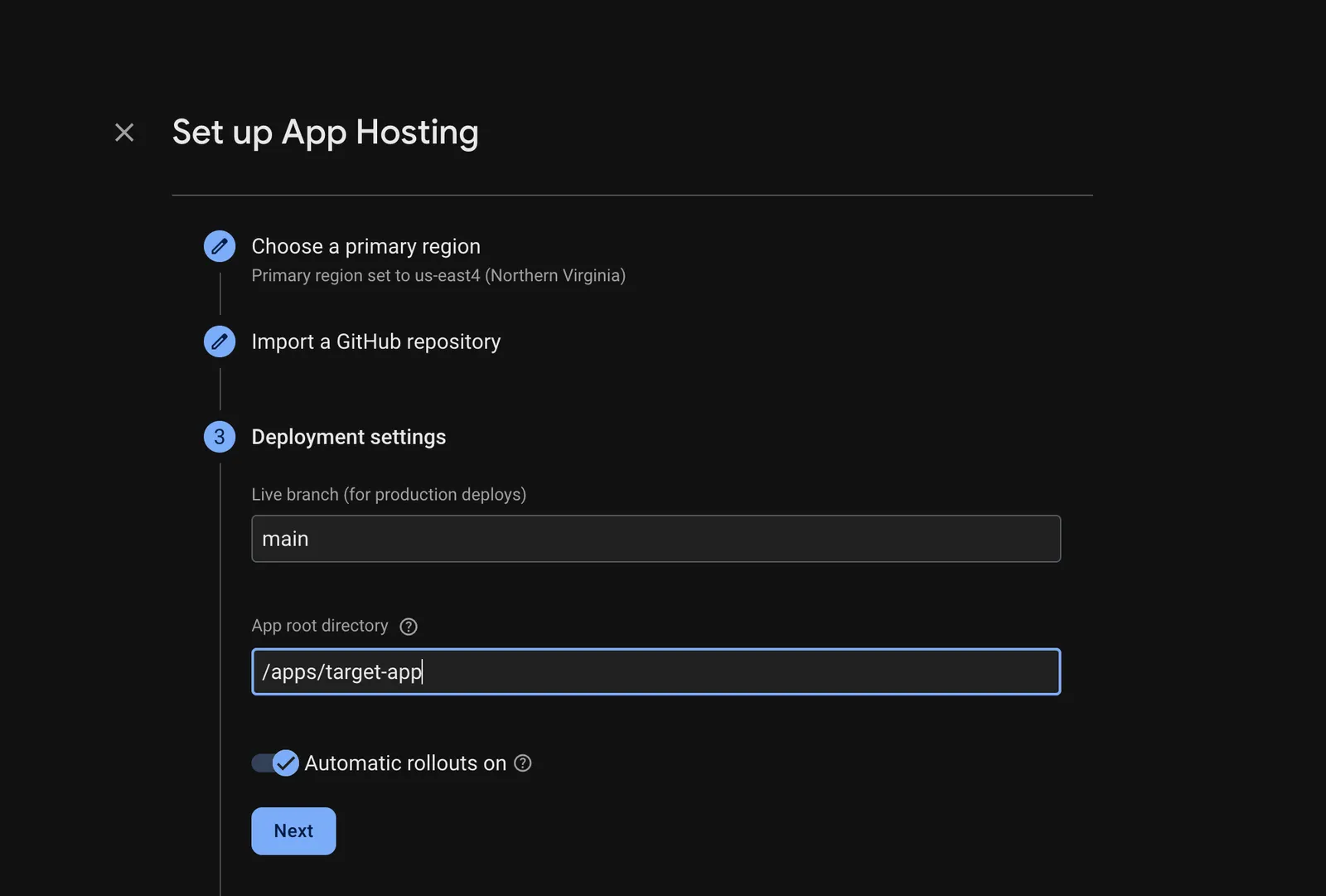
All you need to do is specify which target application you want to deploy. If you want to use automatic deployments from GitHub, specify the target app’s root directory when you import your GitHub repo, either when you initially set up App Hosting in the Firebase console:
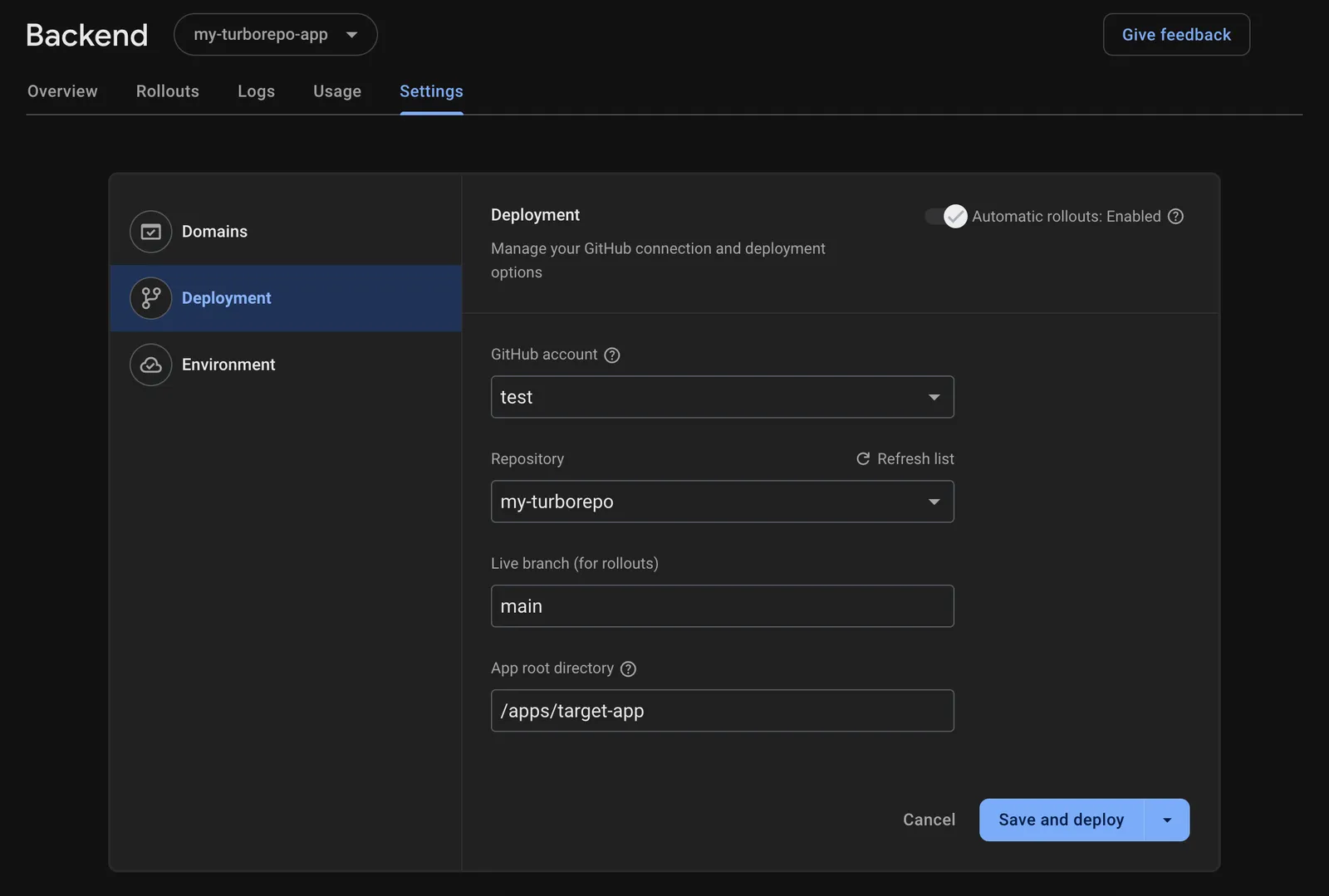
Or later on in backend settings:
If you prefer to upload source directly from your local machine (instead of from GitHub), you can initialize App Hosting with the Firebase CLI, where you’ll be prompted to specify your target app’s directory:
$ firebase init apphosting
...
✔ Provide a name for your backend [1-30 characters] my-turborepo-app
...
✔ Specify your app's root directory relative to your firebase.json directory
/apps/target-app
...
✔  Firebase initialization complete!
$ firebase deploy
After initialization, you can update the target app directory for local source CLI deployments in firebase.json:
{
  "apphosting": {
    "backendId": "my-turborepo-app",
    "rootDir": "/apps/target-app",
    "ignore": [
      "node_modules",
      ".git",
      "firebase-debug.log",
      "firebase-debug.*.log",
      "functions"
    ]
  }
}
Known limitations
The App Hosting build process does not currently support remote caching. If this is an important feature for your team, please request it on UserVoice.
Better builds
We’ve posted previously about our efforts to improve build times. Turborepo support is another step toward more efficient builds in App Hosting’s continuous deployment pipeline, even for large and complex monorepos. We’ve got more improvements in the works, so that you can continue to focus on building features in your full-stack web apps while App Hosting handles the rest.