
We’re thrilled to walk you through a fresh set of updates for Firebase App Hosting! These new features, designed to speed up your deployment workflow, include an interface for managing environment variables in the Firebase console and faster deployment times.
Keep reading to learn more.
Manage environment variables in the Firebase console
App Hosting has long supported configuring environment variables and secrets in apphosting.yaml. While this file-based approach is great for keeping a clear version history, a console UI is often more convenient. In fact, managing these settings directly in the console has been one of our top UserVoice requests.
Today, we’re excited to announce that you can add and edit App Hosting environment variables in the Firebase console!
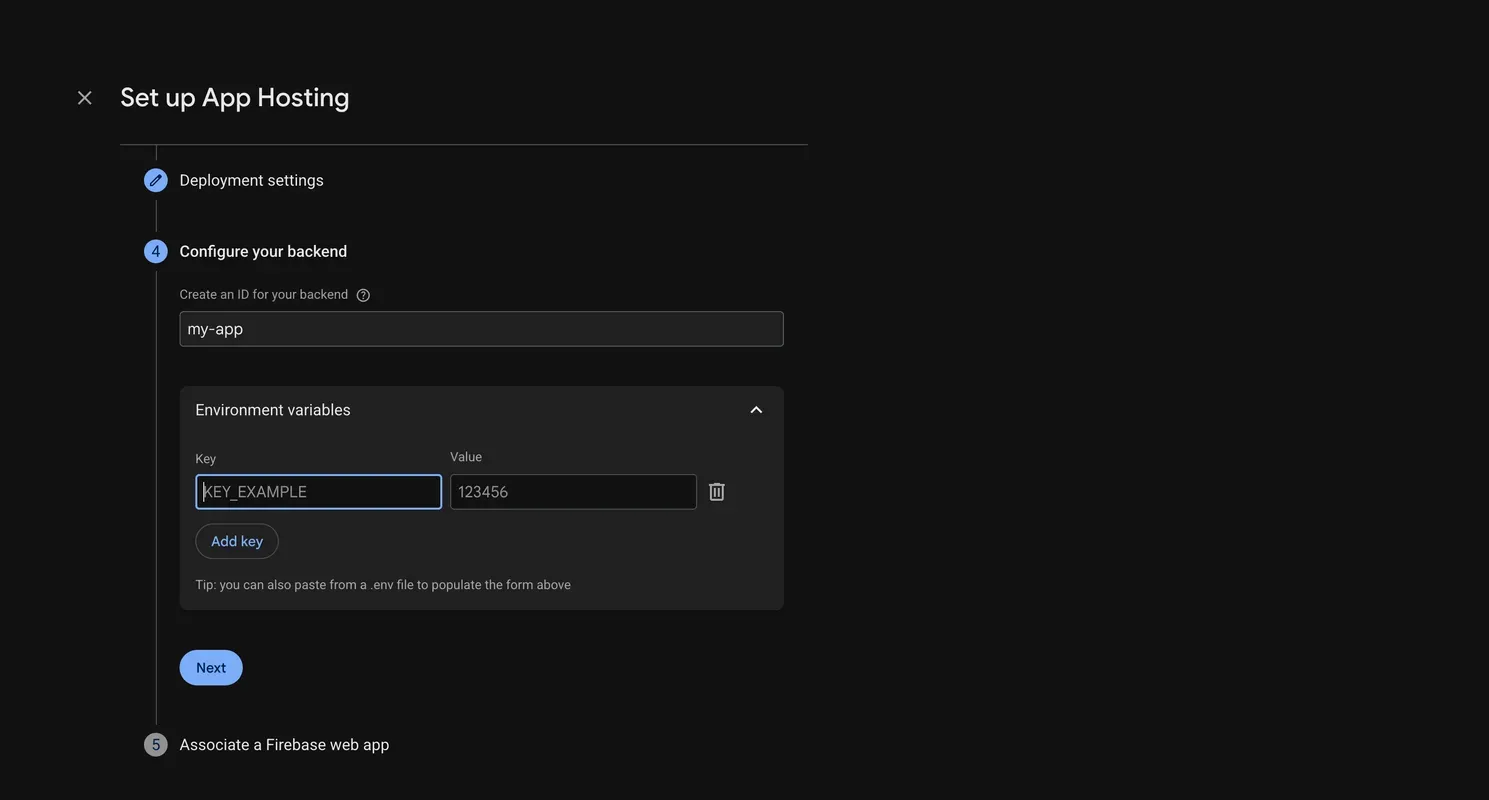
You can add environment variables when creating a new App Hosting backend:
Or add them later in backend Settings. To manage environment variables for an existing backend, navigate to View Backend >> Settings >> Environment and then add, edit, or delete environment variables.
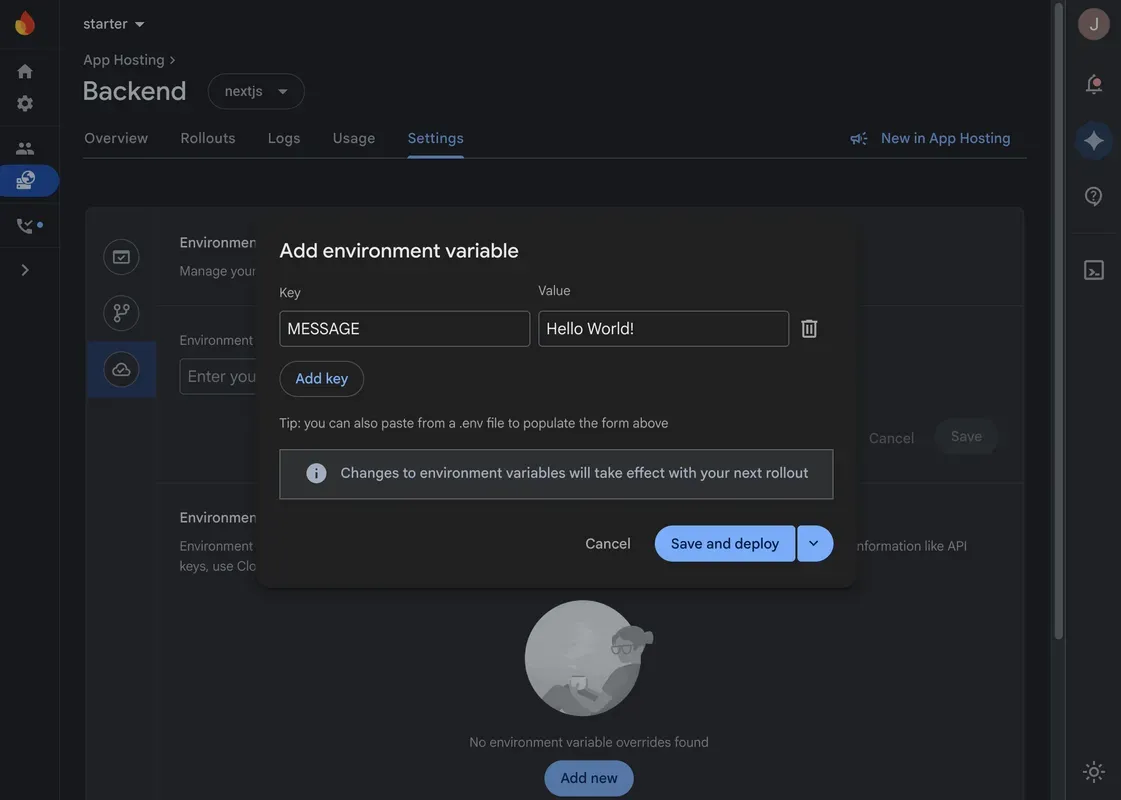
Environment variables set in the console are visible to any user who has access to your project. For sensitive information like API keys, we recommend using Cloud Secret Manager for more granular access control. You can use the firebase apphosting:secrets:set CLI command to create and add secret references in apphosting.yaml.
The Firebase console and apphosting.yaml can be used in tandem to define environment variables and secrets for your backend. Firebase App Hosting merges the configurations, with console values always taking precedence over conflicting values in apphosting.yaml. Learn more about the order of precedence in the docs.
To view the final set of merged environment variables for a rollout, navigate to the Rollouts tab and click on the rollout. In the side panel, you’ll find the complete list of environment variables used and their sources.
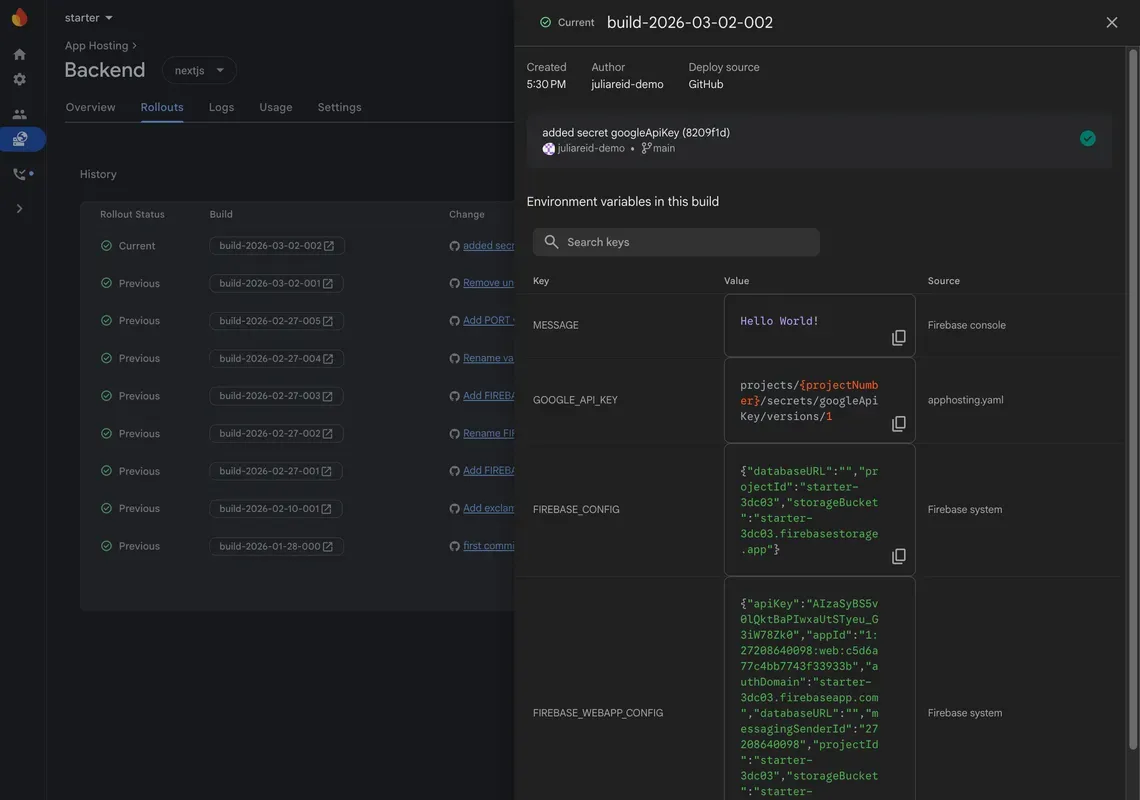
You’ll notice a few Firebase system environment variables: FIREBASE_CONFIG and FIREBASE_WEBAPP_CONFIG. These are populated by Firebase App Hosting at build time to automatically initialize the Firebase SDKs. You can override the default values for these system environment variables in the Firebase console or in apphosting.yaml.
To learn more about App Hosting environment configuration, check out Configure and manage App Hosting backends.
Faster builds
Firebase App Hosting uses Cloud Native Buildpacks to transform your application source code into production-ready container images. We recently optimized the App Hosting build process by directly invoking the buildpack binary rather than using the pack CLI command, eliminating an unnecessary image pull step. Our internal monitoring suggests this small change has reduced p50 build times by ~18% and p99 build times by ~27%.
Improving App Hosting builds continues to be a focus area for us. Stay tuned for future optimizations!
Let us know what you think
We hope that these new features will enhance your experience with App Hosting and we’re excited to see what you build!
If you haven’t already, head over to the Firebase console and explore our documentation to deploy your first app. As always, if you have questions, you can hit us up on any of our support channels, or post questions on Stack Overflow. And if you have ideas for any new features, let us know on User Voice.