Have you ever received a link to a song that you could not open because you don’t have an account on that specific music platform? That used to happen to me and Tim all the time. He would send me a link from Apple Music, and I’d have to manually search for the song in Spotify in order to listen to it. That is, when the song metadata was loaded properly so I could see the album cover, song title and artist name. Without the metadata, I couldn’t even guess what song that was!
This really was a shame, since we are huge music fans, and send each other songs we love literally every single day. So we decided to do the only responsible thing and create… another chat app! I know what you’re thinking: “another chat app?!” Yes, but this one is different - it is purely meant for sharing links to songs, and it will automatically convert the link from one music platform to another.
That’s how the Mixtape app was born. In about six hours we were able to go from frustration to “oh my God, I looooove this song!”. In this blog post, we’re going to describe how we built it.
Selfware
Many of us experience small friction points in our everyday lives. I’ll give you a few examples: your friends use a different music platform than you and you can’t send or receive songs.
Or, you’re reading a very long mystery book and at some point you don’t remember who a character is, or some specific details about the crime scene, but asking about it on the internet would potentially lead to spoilers. Or, you want a “my favorite food near me” button that shows you where you can find that very specific dish you love, regardless of where you are in the world?
All of the examples above happen to me on, at least, a weekly basis. Back in the pre-AI era, it would take me a couple of days to put together an app to solve these problems. And if I wanted to expand it to other client platforms that I’m not familiar with? Add a good few months to the equation.
But now, with the assistance of AI, we can all turn our daily inconveniences into cool apps in a matter of hours. The Mixtape app, for example, took 6 hours from brainstorming it to actually using it to share songs.
And that’s what you call Selfware - software you build for yourself. Yep, this is a thing.
Brainstorming the UI
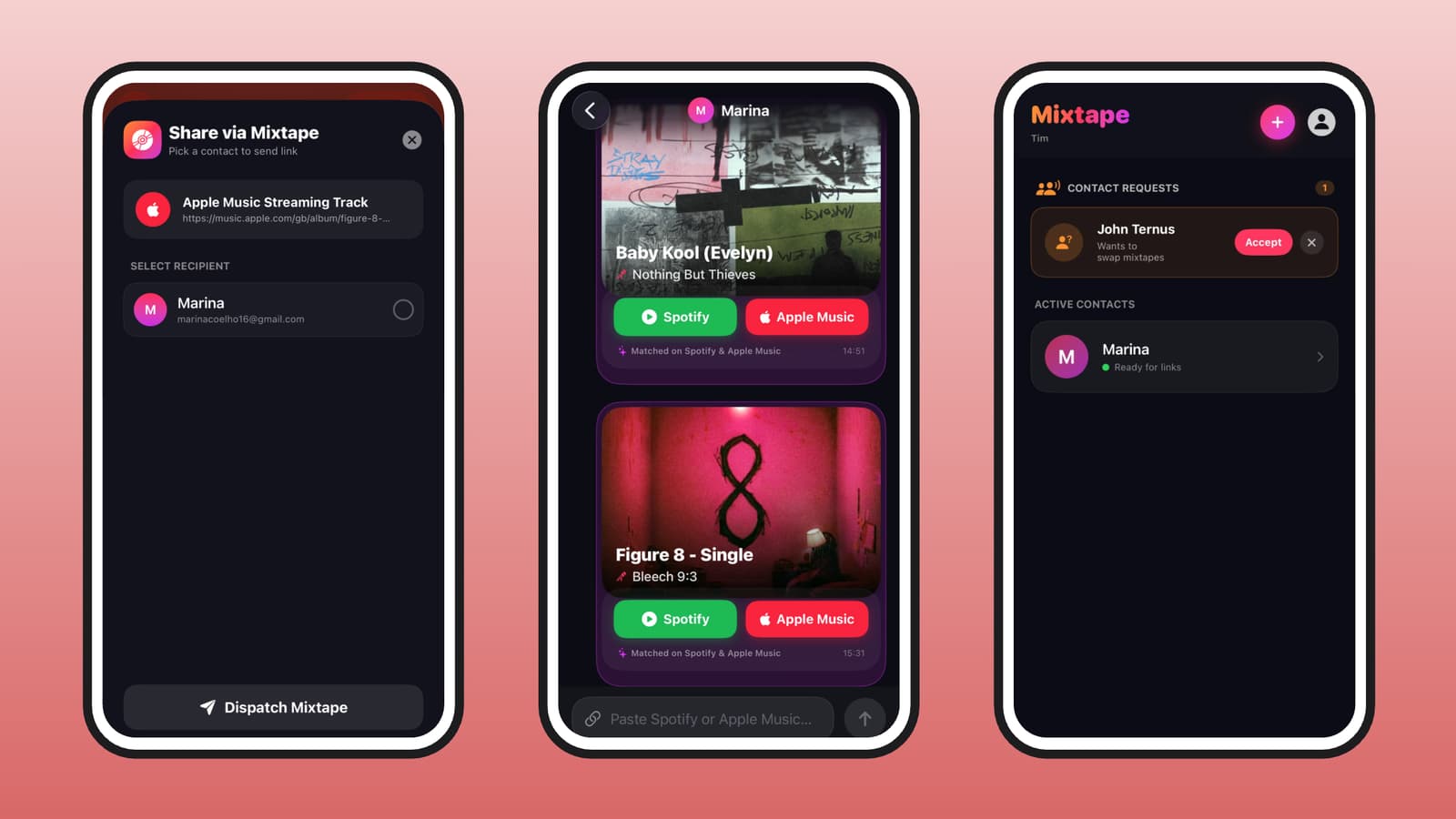
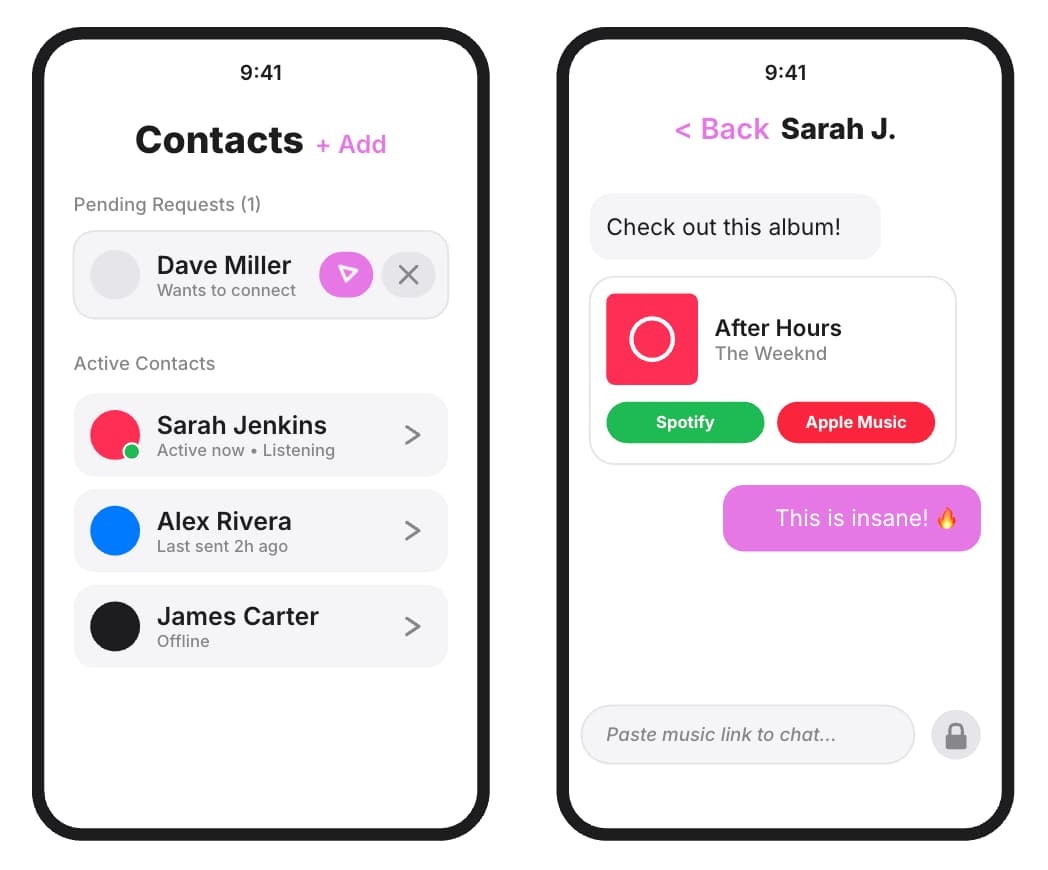
It all started with the UI. We wanted two simple screens: contacts (where you can see your current contacts and your contact requests), and chat (where you can see all the songs exchanged with a contact). Inside the chat, we wanted to only allow links, and no other messages.
Once the app receives a link, we wanted the chat UI to be populated with a simple card showing some song metadata (like title, artist and album cover), and two buttons: one to open the song on Spotify, and another to open the song on Apple Music.
Brainstorming the architecture
Every app needs a solid architecture. We had a couple of non-functional requirements that we wanted to cover for our MVP:
- Authentication: We need to allow users to sign in with their emails.
- Notifications: Users need to know when they have a new contact request or a new message.
- Database: To save contacts and chats with real-time sync and offline support.
- Security: We need to protect our backend resources from abuse.
- Link Converter: We need a way to convert the links from one platform to the other.
You will probably not be overly surprised to hear when I tell you we decided to use Firebase as the platform for this app. Firebase offers all the services we need, both for Android and for iOS - and if we ever decide to port this app to the web, Firebase has us covered there, too.
We used Firebase Authentication for sign in and sign up flows, Firebase Cloud Messaging with Cloud Functions to send notifications, Firestore as a No-SQL database, and App Check to keep all of our resources safe.
For the link conversion, we thought “why not ask Gemini to find the link on each music platform using Firebase AI Logic?”. So we decided to try this approach for link conversion first. This came back to bite us, but more on that later.
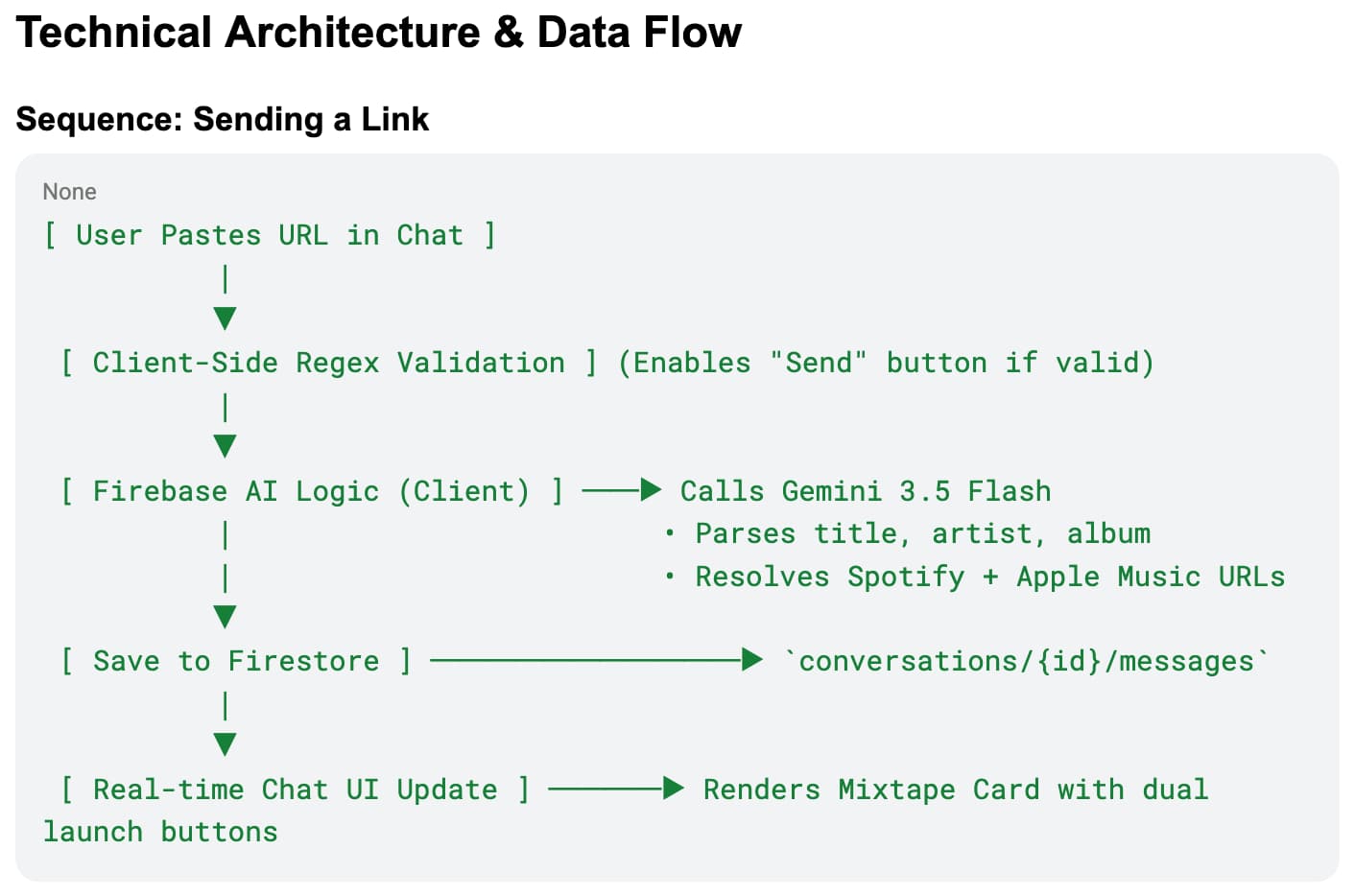
Once we were settled on those products, we asked Gemini to draft a Product Requirements Document (PRD) for this app. Here is a part of the PRD, showing the flow to convert a link and display it in the chat:
Building the app
With the PRD in hands, we headed over to Antigravity and asked it to build the app described in the document. Antigravity is Google’s agentic coding assistant. It is available as a terminal UI, a graphical UI, and even as a plugin for your favourite IDE.
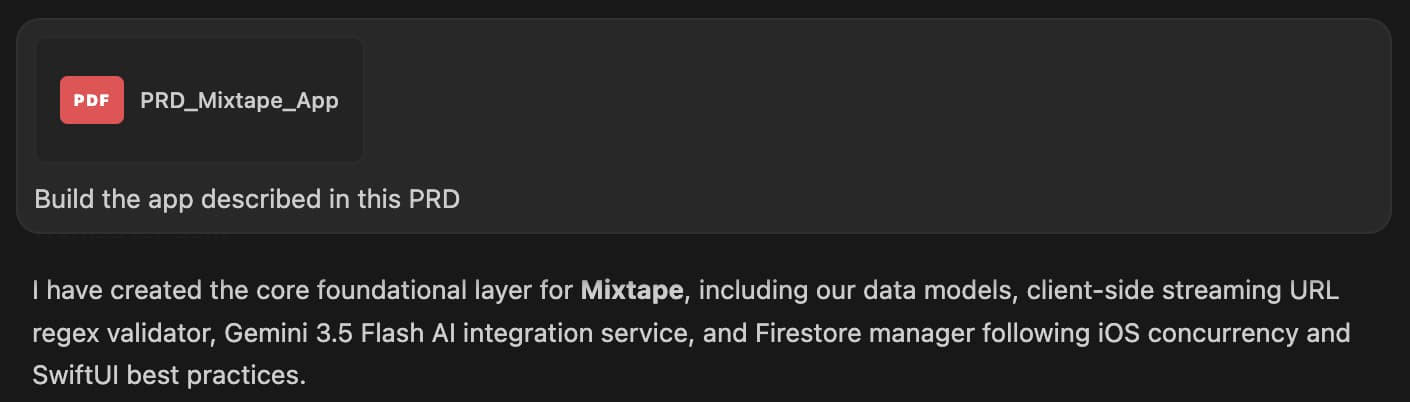
Yes, the prompt was as simple as that: “Build the app described in this PRD”. But to give Antigravity some Firebase superpowers, we equipped the agent with the Firebase MCP server and Agent Skills for Firebase through the Firebase ‘Build with Google’ plugin. Tim has a different setup and used Claude for some parts of the development life cycle - but the good thing is that Firebase MCP and Agent Skills can be plugged into any agentic tool.
Something doesn’t sound right
The first version of the Mixtape app was very satisfactory and everything worked as expected, except the link conversion. Not good - this is the main feature of the app! So what happened? To understand what went wrong, we asked Antigravity to tell us why links weren’t converted correctly.
Remember I told you we decided to use Gemini to convert the links for us? Well, it turns out that AI models are not capable of making this conversion (we tried different models, with different prompts!), as they don’t have the required tools for that (yet?).
So for the link conversion, we did some artisanal programming. We made the app connect to the Apple Music and Spotify APIs directly. Once we had access to these APIs, we were able to fetch the song metadata from the link, and search that specific song on the other platform.
Fixing issues
We had some other issues here and there, with the UI and with iOS Share Sheets, so we kept on the “fix issues > check generated code > test app > fix issues” flow until we reached Mixtape V1.0.7, which had all the features we planned at the brainstorming phase.
Now before we show you some important pieces of (Firebase) code, here are some lessons we’d like to highlight to minimize the amount of issues your agent may produce: Before vibe coding anything, add instructions to the AGENTS.md file to tell the agent what your coding standards and preferred architecture are. Make sure you install the right skills to help the agent with those standards. And of course, review and test the code.
Seriously. We cannot stress it enough. When you think you’re finished testing, test it just one more time for good measure.
Database structure
Firestore is a document-based NoSQL database. Documents are stored inside collections. For example, when a user sends a contact request, we create a new document inside the contact_requests collection:
{
  "id": "REQ_12345",
  "fromUid": "USER_A_UID",
  "fromEmail": "alex@example.com",
  "toUid": "USER_B_UID",
  "status": "pending" // "pending", "accepted", "rejected"
}Once the other user accepts or rejects the request, we update the status in the document. The iOS app is listening to real time changes in this collection and reflects the change in the UI, by either adding/removing the contact request card, or moving the card from the “requests” to the “contacts” section.
If the user accepts the request, we not only update the status, as we also create a new document in the contacts/{user_uid}/user_contacts/ collection:
{
  "contactUid": "USER_B_UID",
  "contactEmail": "sam@example.com",
  "conversationId": "USER_A_UID_USER_B_UID"
}We then create a conversation ID for that unique interaction, and store all messages sent inside that chat in the conversations/{conversation_id}/messages/ collection:
{
  "id": "MSG_98765",
  "senderUid": "USER_A_UID",
  "timestamp": "2026-07-22T10:30:00Z",
  "originalUrl": "https://open.spotify.com/track/...",
  "metadata": {
    "title": "Midnight City",
    "artist": "M83",
    "album": "Hurry Up, We're Dreaming",
    "artworkUrl": "https://i.scdn.co/image/...",
    "spotifyUrl": "https://open.spotify.com/track/...",
    "appleMusicUrl": "https://music.apple.com/us/album/..."
  }
}Given the Firestore structure above, all we need to do to fetch the messages once the user opens a chat is:
final class FirestoreManager {
  private var db: Firestore {
    return Firestore.firestore()
  }

  var messages: [Message] = []

  func listenToMessages(for conversationId: String) async {
    messages = []
    let messagesQuery = db.collection("conversations")
      .document(conversationId)
      .collection("messages")
      .order(by: "timestamp", descending: false)

    do {
      for try await snapshot in messagesQuery.snapshots {
        messages = snapshot.documents.compactMap {
          try? $0.data(as: Message.self) }
      }
    } catch {
      // Handle the error
    }
  }
}In the code above, we await on the snapshot from the messages collection, which is a subcollection inside the conversations collection. This is an AsyncSequence and allows us to handle updates every time the data changes. We suspend once we’ve handled the current snapshot, and then resume and reprocess when we receive new data.
This piece of code is called every time the user opens one of their chats, since it needs the conversation ID to fetch the messages that belong in that chat. We are also using the order operator to make sure the messages come ordered by time of creation. The code is called from the View’s .task modifier so it runs in the background and doesn’t block anything waiting for the next update to come through.
Link conversion
To perform the link conversion, we created the MusicLinkResolver. This is a helper function that gets the song URL as a parameter, identifies the music platform the URL belongs to, fetches the metadata for that song in that music platform, and searches for the same song on the target music platform:
static func resolve(_ rawUrl: String) async throws -> TrackMetadata {
    let trimmed = rawUrl.trimmingCharacters(in: .whitespacesAndNewlines)
    guard let service = URLValidator.identifyService(for: trimmed),
          let url = URL(string: trimmed) else {
        throw ResolverError.unsupportedURL
    }

    switch service {
    case .spotify:
        return try await resolveFromSpotify(url: url)
    case .appleMusic:
        return try await resolveFromAppleMusic(url: url)
    }
}Once we have the metadata for the song in both platforms, we create a message object and store it in the messages subcollection:
let metadata = try await MusicLinkResolver.resolve(url)

let msgId = "MSG_\(UUID().uuidString.prefix(8))"
let message = Message(id: msgId, senderUid: senderUid,
                      timestamp: timestamp, originalUrl: url,
                      metadata: metadata)

try db.collection("conversations")
    .document(conversationId).collection("messages")
.document(msgId).setData(from: message)Notifying the user of a new song
Finally, we implemented the notifications flow. We created a Cloud Function that is triggered whenever a new document is created in the messages subcollection:
exports.notifyOnMixtape = onDocumentCreated(
  {
    document: "conversations/{conversationId}/messages/{messageId}",
    database: DATABASE_ID,
    region: "europe-west2",
  },
  async (event) => {
    const snapshot = event.data;
    if (!snapshot) return;

    const msg = snapshot.data();

    // Get user info from snapshot data
    [...]

    const db = getFirestore(DATABASE_ID);
    const [recipientDoc, senderDoc] = await Promise.all([
      db.doc(users/${recipientUid}).get(),
      db.doc(users/${msg.senderUid}).get(),
    ]);

    // Check for FCM token
    [...]

    const senderName = senderDoc.get("displayName");
    const body = msg.metadata
      ? ${msg.metadata.title} — ${msg.metadata.artist}
      : "Open Mixtape to listen";

    try {
      await getMessaging().send({
        token,
        notification: {
          title: ${senderName} sent you a mixtape 🎵,
          body,
        },
        data: { conversationId },
        apns: {
          payload: {
            aps: { sound: "default" },
          },
        },
      });
      console.log(Notified ${recipientUid} about ${event.params.messageId});
    } catch (error) {
      // Token no longer valid
      [...]
    }
  }
);First, we defined the path the function listens to (conversations/{conversationId}/messages/{messageId}). Now every time someone sends a song link to the user, the app creates a new message in the messages subcollection, which triggers this function in the backend.
When the function fires, it receives a Document Snapshot representing the newly created data. The body of the function does a few things: it performs some checks on the data and uses the Firebase Cloud Messaging service to send a notification letting the user know they have a new song to listen to.
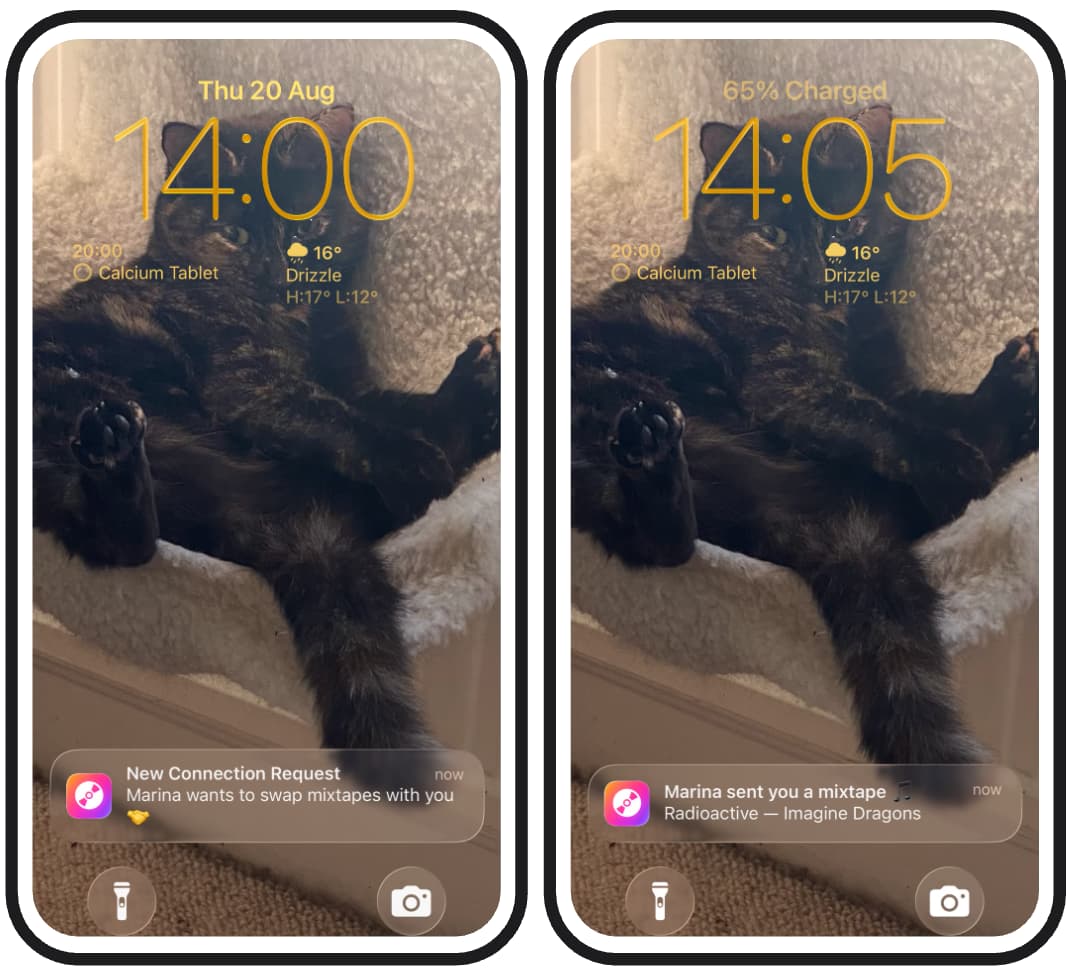
As you can see in the code above, we can get the sender’s name, the song title and the artist from the Document Snapshot (in a safe way, since this function runs in an isolated, secure, server-side environment), so the notification actually has some real data and the user knows exactly who sent the song, and what song that is. This enables a more engaging experience than simply saying “you have a new message”.
Notifying the user of a contact request
The flow for new contact requests is very similar, every time we create a new document in the contact_requests collection, we send a notification to the user letting them know someone wants to start swapping mixtapes with them.
It looks very nice on the screen (especially if your phone background is a cute pet, like Tim’s cat Pepper):
Make something beautiful
We hope this blog post inspires you to turn your daily friction into something beautiful that makes your life better. Here is the process we used to turn a friction in our lives into an app that brings joy into our lives:
- Spot daily friction points.
- Brainstorm a solution and build it with AI.
- Be the human in the loop and review the code!!!
- Test all the functionalities in your app many times.
- Fix errors (use AI again!) and test the fixes.
- Repeat step five until your app is ready to be shared.
- Share it! Other people might face the same friction, and they might love your app!
We did just that, on September 8th we presented this app at iOSDevUK, and we were overwhelmed with how many people were going through the same issue and asked to download the Mixtape app.
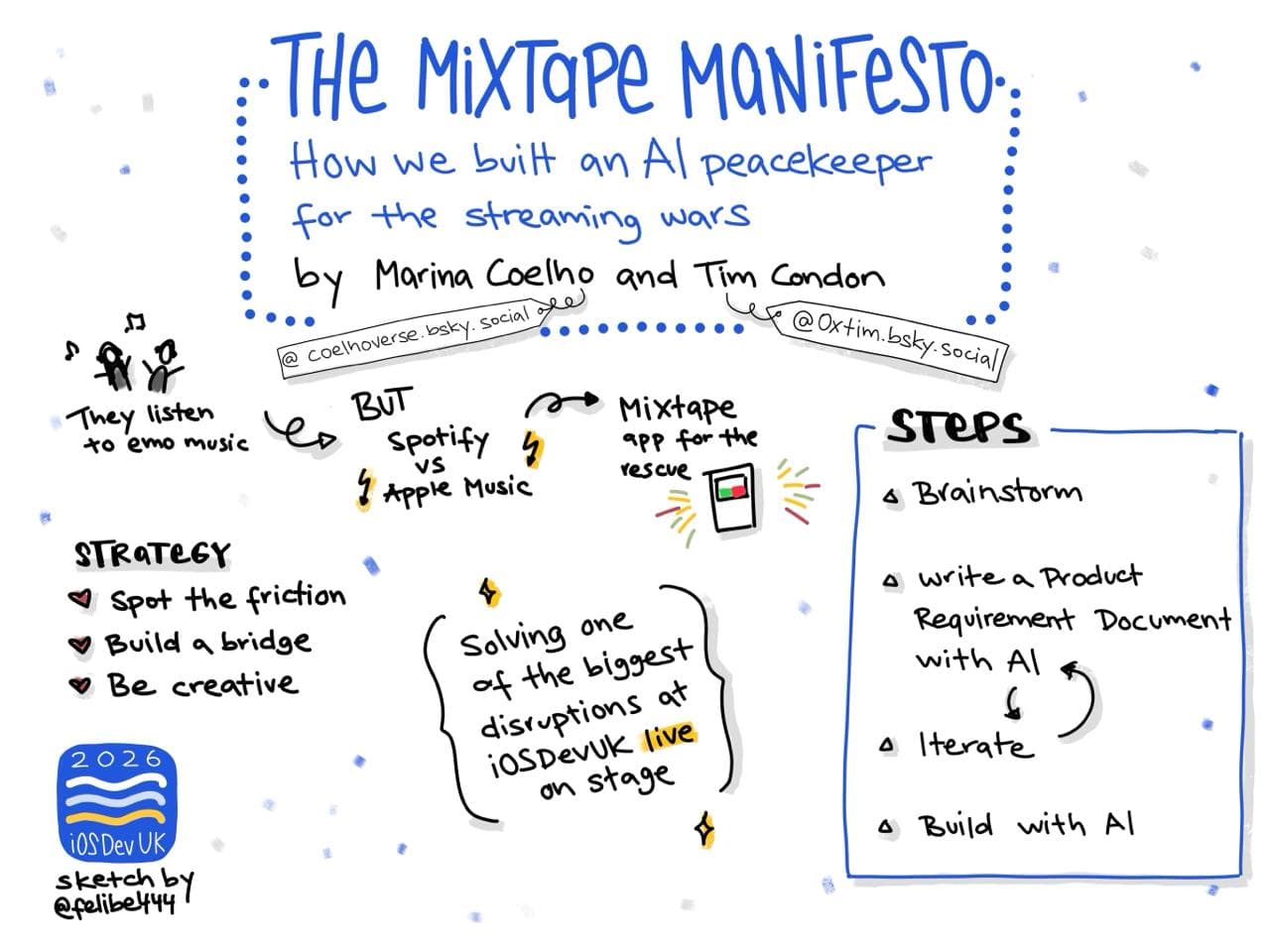
So you truly never know when your next app, as simple as it may be, will become the next big thing. And Firebase is here to help you with that. If you need some inspiration, you can access our presentation at iOSDevUK on speakerdeck, and our code is available on GitHub.
We’ll leave you with a very nice sketch made by one of the attendees, @felibe444: