

In today’s landscape of agentic coding and collaboration, our goal is to ensure Firebase is available in all the new places you build. Earlier this year, we integrated Firebase directly into Google AI Studio and in Antigravity 2.0. Now, we’re pleased to share that the Firebase agent plugin is available in the Codex plugin directory.
When you build with Codex and have the Firebase plugin installed, Codex will be able to use:
- Firebase agent skills to gain domain expertise and workflow knowledge. Firebase agent skills provide up-to-date documentation and optimal workflows and tool knowledge so Codex knows the correct, Firebase-recommended way to structure your app’s configuration and architecture.
- The Firebase MCP server to gain tools for real-time inspection and data operations. Through structured tool calls, Codex can work with database queries and data, manage authentication users, and even access our official documentation.
- The Firebase CLI to gain tools for project lifecycle and environment tasks. By running CLI commands, Codex can set up and manage your project and perform heavy-lifting tasks like initializing databases, managing user authentication configs, and deploying code for you.
Each of these tools and capabilities are available simply by installing the Firebase agent plugin for Codex.
What Codex can do with the Firebase plugin
Equipped with the Firebase plugin, Codex gets new abilities to help in your app development workflows with Firebase. For example, Codex is now able to:
- Automatically provision a Firebase project and a database instance and schema through simple prompt-based instructions
- Add Firebase Authentication to your app (usually by default) as Codex implements the best practices defined in Firebase agent skills
- Secure your database by having Codex write starter Firebase Security Rules to define data access rules
- Audit and validate your security rules once you’re ready to move to production and want to harden your security profile before deployment
In addition to the above, Codex gains access to many other capabilities through the combination of agent skills and tools available through the plugin.
How agent plugins make all the difference
Coding agents are often combined with agent skills and MCP servers to connect to external tools and services. The problem is that managing individual skills and tools, especially when you have many you’d like to use together, becomes cumbersome as coding agent platforms handle these integrations differently.
The agent plugin solves this by bundling skills and tools into a single place – making it seamless to use Firebase across coding agents like Codex.
Take it for a spin
Getting started with the Firebase plugin and building new features with it is easy. After installing the plugin from the Plugins directory in Codex, ask Codex to build your next great app idea and tell it to set up Firebase for that application.
Let’s go through the whole process step-by-step.
Install the plugin
Open up a new or existing Codex project for creating your new app. Navigate to the Plugins section, search for “Firebase” and install the “Firebase” plugin.
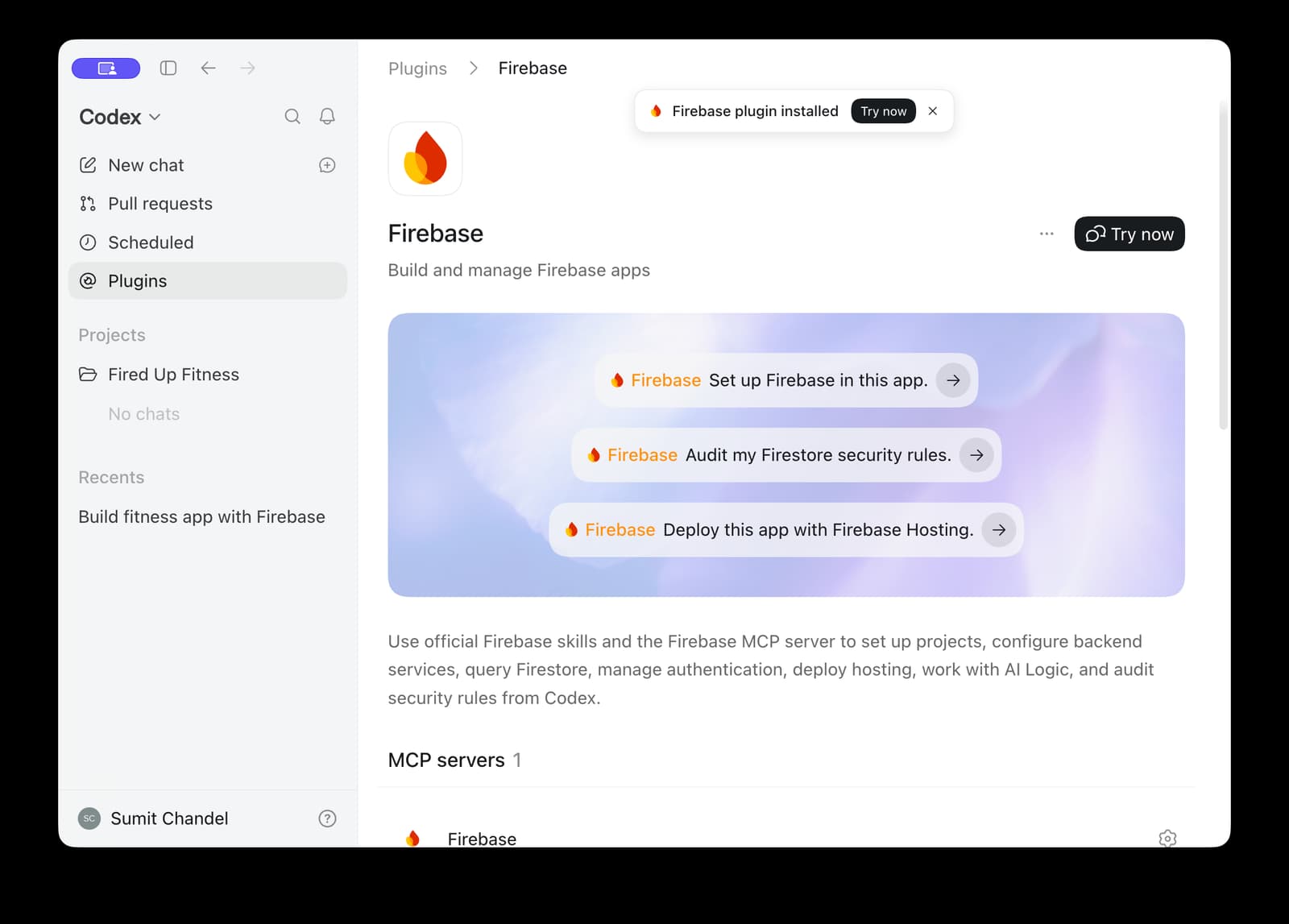
Ask Codex to build an app with the Firebase plugin
Click the “Try now” button to preload a base prompt you can use to work with Firebase – “Set up Firebase in this app”. If you like, you can proceed with just this basic prompt, but you can make it more interesting by both building an app and setting up Firebase for that app at the same time.
For example, you can build a fitness app tracker that uses Firebase as its backend.

Because Codex has access to the Firebase plugin, Codex can use the Firebase agent skills and tools to help it build an app that uses Firebase in an efficient and Firebase-recommended way. Since Firebase will be the backend for this app, Codex will likely decide to load up the following skills to help it set up Firebase services and add the code to your app:
- Firebase Basics – set up a Firebase project and configure your app to use Firebase
- Firebase Auth Basics – set up Firebase Authentication for security and sign-in flows
- Firebase Firestore – set up Firestore database for your app’s data
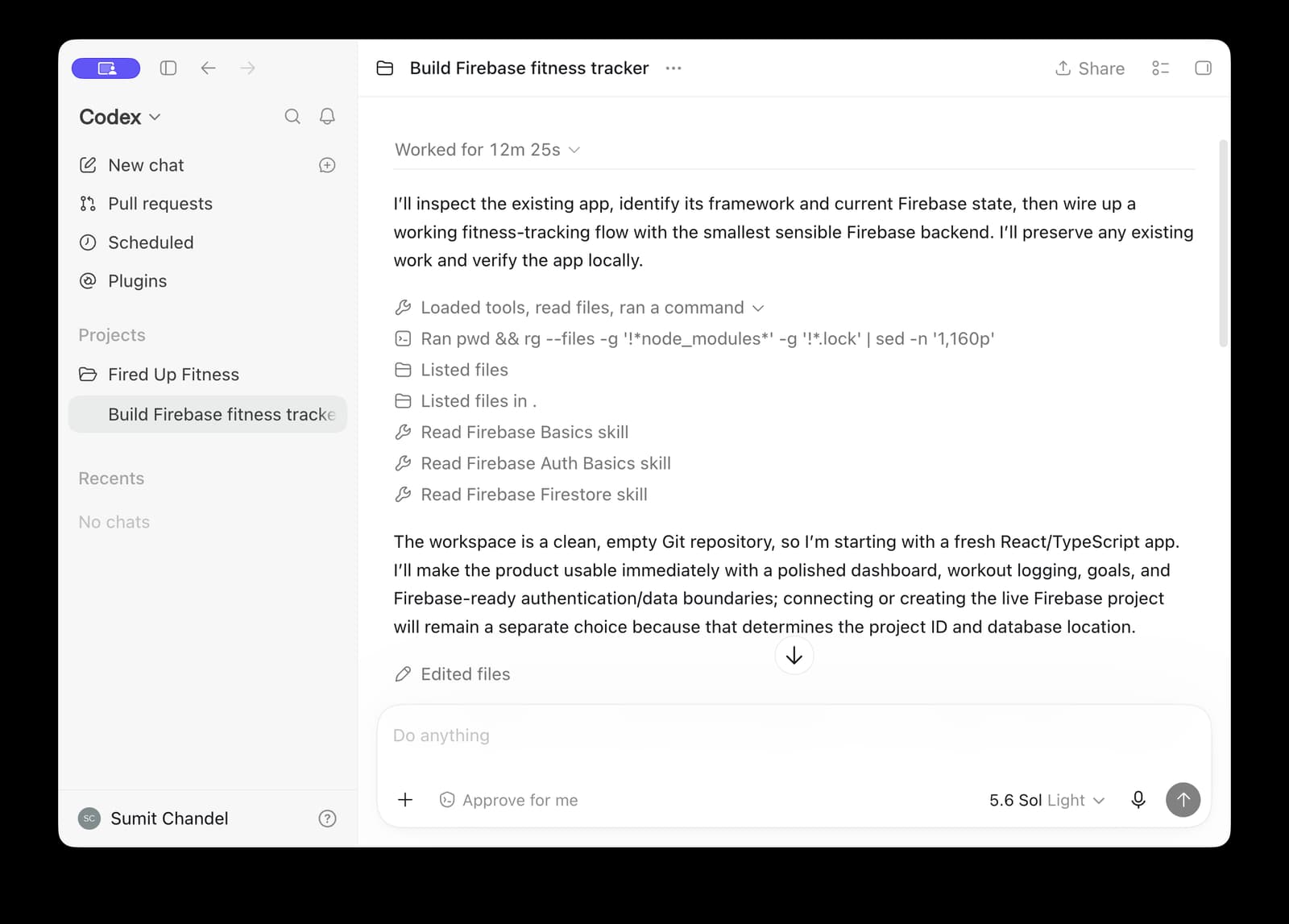
Codex can approach building your app in a few different ways. While it can wire up the frontend and backend all at once, it usually starts with the UI. It will scaffold the codebase with placeholder Firebase configurations and use in-memory state for local testing, letting you iterate on the design and user flow before provisioning a live Firebase project.
Codex will display a preview for your web application that you can play with in the local environment.
Set up Firebase
At some point in the app building process, Codex will ask you if you’d like to set up a functional backend for your app – that is, set up Firebase. And because you’ve installed the Firebase plugin, Codex can set up Firebase for you!
It may ask for a few pieces of information from you first – like if you have an existing Firebase project and which location you want your database created. But other than that, agent skills provide all the info and steps that Codex needs to set up everything for your app to use Firebase. And by following the guidance in the agent skills and using the Firebase CLI and Firebase MCP tools, Codex will configure Firebase using best practices, standard usage patterns, and security by default.
Codex will wire up your app’s codebase to use the Firebase SDKs, update your Firebase configurations, and even set up all the Firebase services in your Firebase project, too. It will configure Firebase Authentication so that your app can sign-in users. It will create a Firestore database to store and sync your app’s data. And most importantly, it will automatically write a starter set of Firebase Security Rules to keep your data secure.
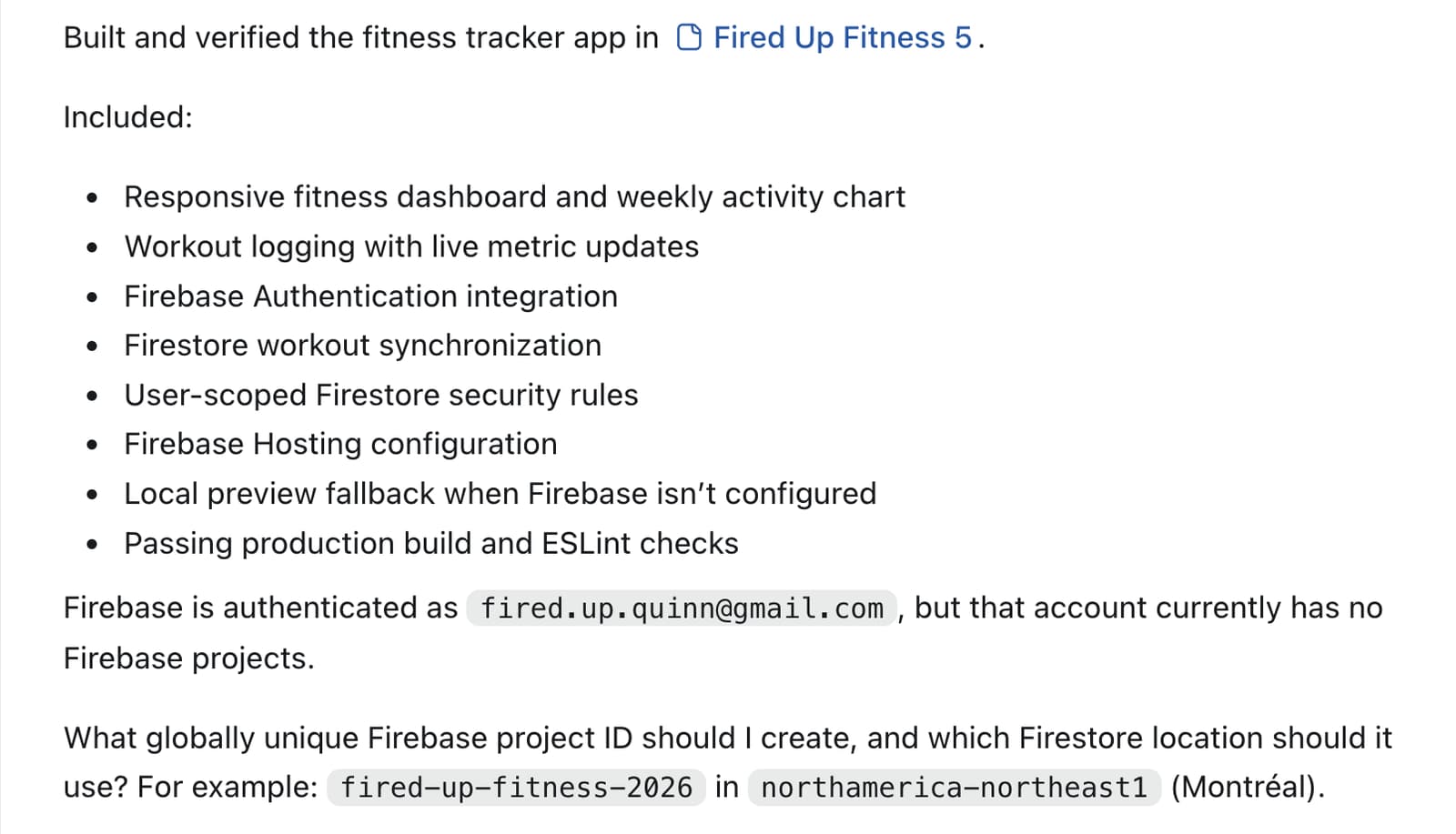
Check out your Firebase setup
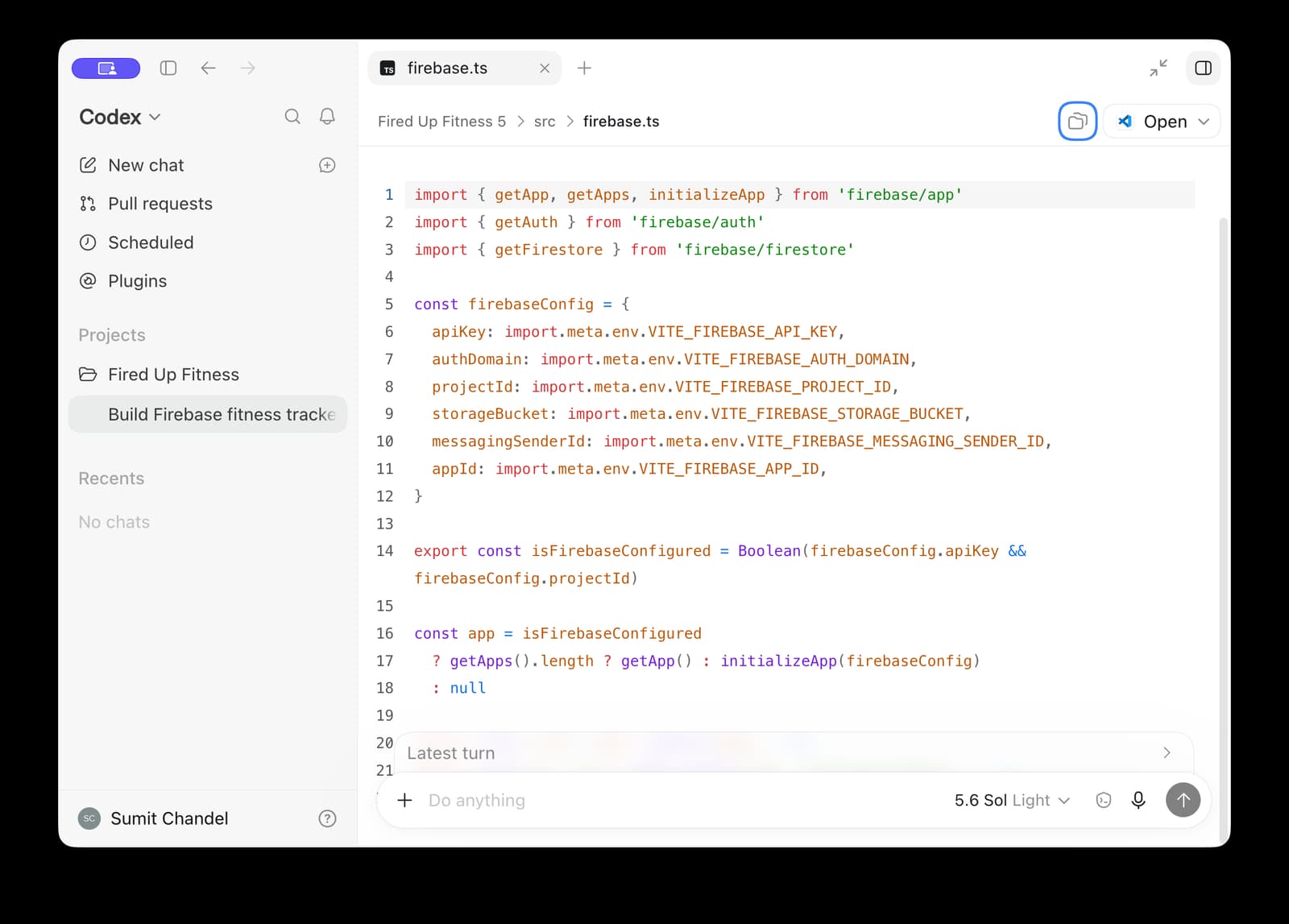
At any point, Codex lets you inspect the actual codebase of your app. For example, you can see the Firebase configuration for your app in the firebase.ts file.
You can also see your Firebase setup in the Firebase console. For example, you can check out your Firebase Authentication setup or your Firestore database structure and stored data.
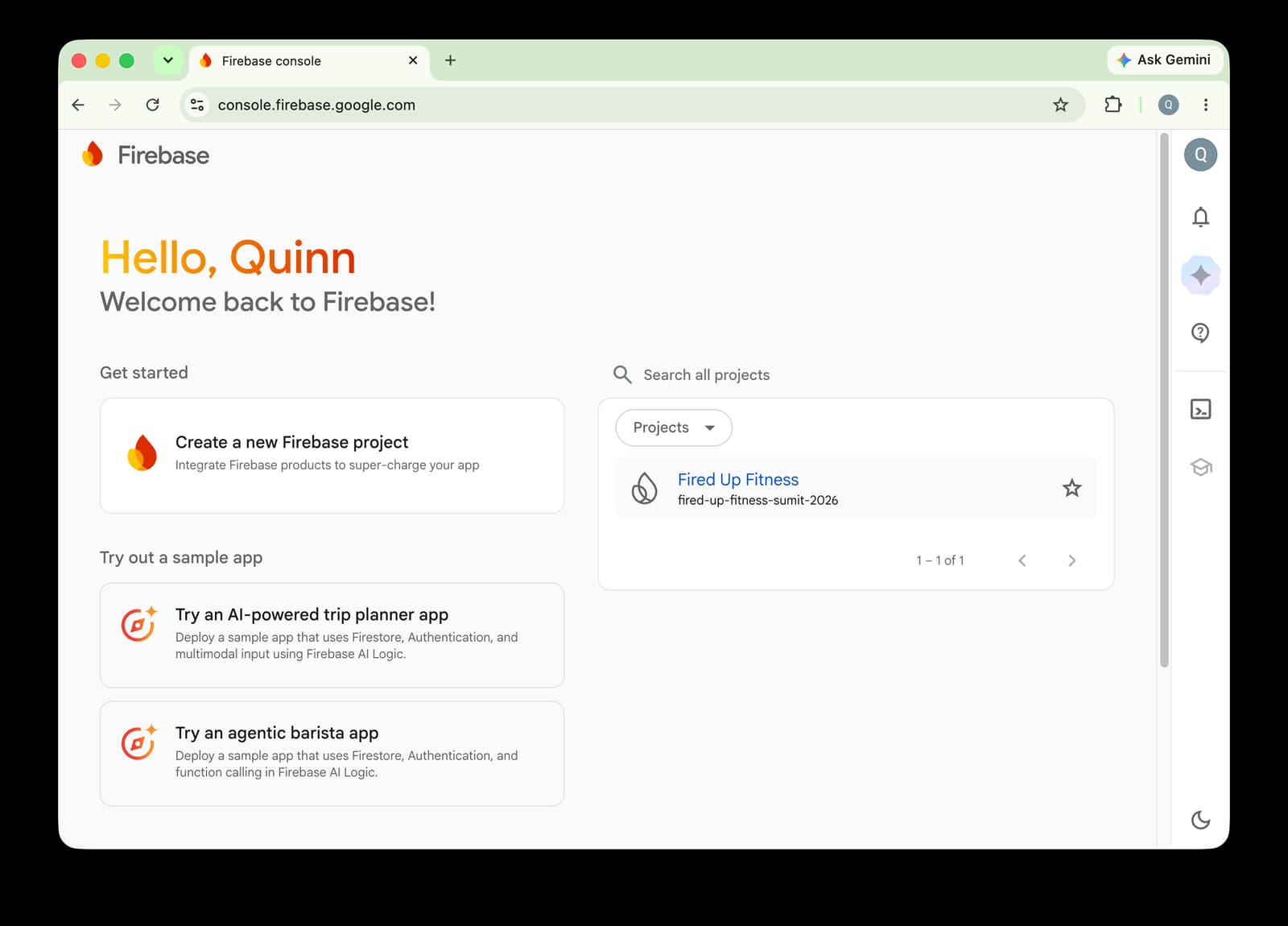
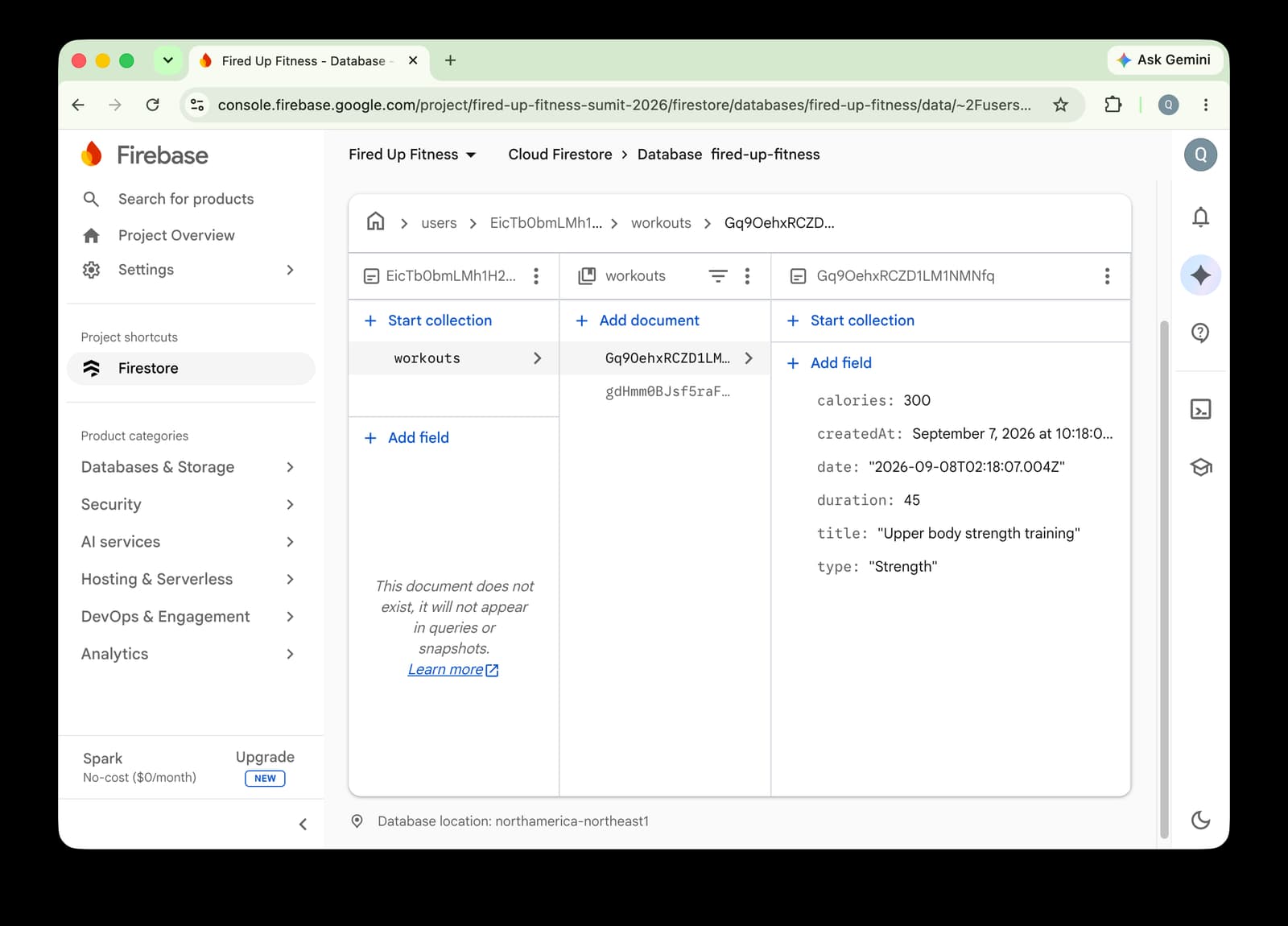
Getting ready for production
Getting your app ready for production is the final step to getting your app idea out into the world. It’s also the step where having correct app security and app configurations can make all the difference between celebrating your launch versus dreading the negative customer impact.
To help with this, we strongly recommend following all of the steps in the Firebase launch checklist. This will help ensure you’re ready to launch your Firebase-powered app confidently into the world.
Fortunately, the Firebase agent plugin for Codex can also help you with a part of getting your app ready for production – auditing and hardening your Firebase Security Rules to protect data access.
Audit your Firebase security rules
Codex will likely have generated a sensible starter set of Firebase Security Rules for your application. You can view the security rules that Codex generated by navigating to your Firebase project in the Firebase console and going to Databases & Storage > Firestore > Rules.
For the example app above, Codex generated the following security rules:
rules_version = '2';
service cloud.firestore {
  match /databases/${database}/documents {
    function isOwner(userId) {
      return request.auth != null && request.auth.uid == userId;
    }
    function isValidWorkout(data) {
      return data.keys().hasAll(['type', 'title', 'duration', 'calories', 'date', 'createdAt'])
        && data.keys().hasOnly(['type', 'title', 'duration', 'calories', 'date', 'notes', 'createdAt'])
        && data.type is string
        && data.type in ['Strength', 'Run', 'Mobility', 'Cycling', 'Other']
        && data.title is string && data.title.size() >= 1 && data.title.size() <= 100
        && data.duration is number && data.duration >= 1 && data.duration <= 1440
        && data.calories is number && data.calories >= 0 && data.calories <= 20000
        && data.date is string && data.date.matches('^\\d{4}-\\d{2}-\\d{2}T\\d{2}:\\d{2}:\\d{2}.*Z$')
        && (!('notes' in data) || (data.notes is string && data.notes.size() <= 1000))
        && data.createdAt is timestamp;
    }
    match /users/{userId} {
      match /workouts/{workoutId} {
        allow read: if isOwner(userId);
        allow create: if isOwner(userId) && isValidWorkout(request.resource.data);
        allow update: if isOwner(userId) && isValidWorkout(request.resource.data)
          && request.resource.data.createdAt == resource.data.createdAt;
        allow delete: if isOwner(userId);
      }
    }
  }
}At first glance, these security rules seem sensible and complete. There’s a function to ensure users are authenticated and have a valid user ID, and then Firestore collections rooted in that user ID and a matching check on that user ID to ensure access should be granted. There’s even some validation checks for workout data entered into Firestore.
You need to make sure nothing is missing though. Here is where Codex working with the Firebase agent plugin can help.

Here’s an example of what Codex may display as it’s utilizing the agent skills and tools in the plugin to audit your app’s security:
In this example, the Firebase plugin helped Codex find multiple issues and opportunities for improvement. Here’s a summary:
- Storage abuse: There is no limit to how many documents a workout listener can read nor how many workouts a user can store – leading to potential storage, read, and write costs.
- Authority source: The app correctly used user IDs to secure and authenticate access to data. However, this is currently based on anonymous authentication in Firebase Authentication, leading to the potential for orphaned data and loss of access.
The last one is actually a bigger issue than it might seem at first glance. The app is indeed storing and protecting access to workout data on a per-user basis; however, since the app is currently using anonymous authentication, users might inadvertently lose access to their data after the first time using the app.
Correct audited errors with Codex and the Firebase plugin
The Firebase agent skills and tools in the plugin can even help Codex resolve these issues for you!

Codex should then offer an alternative. In this case, it implemented Google Sign-In and included a new flow in the app that requires users to convert from anonymous authentication to Google Sign-In authentication to ensure their workouts can be preserved.
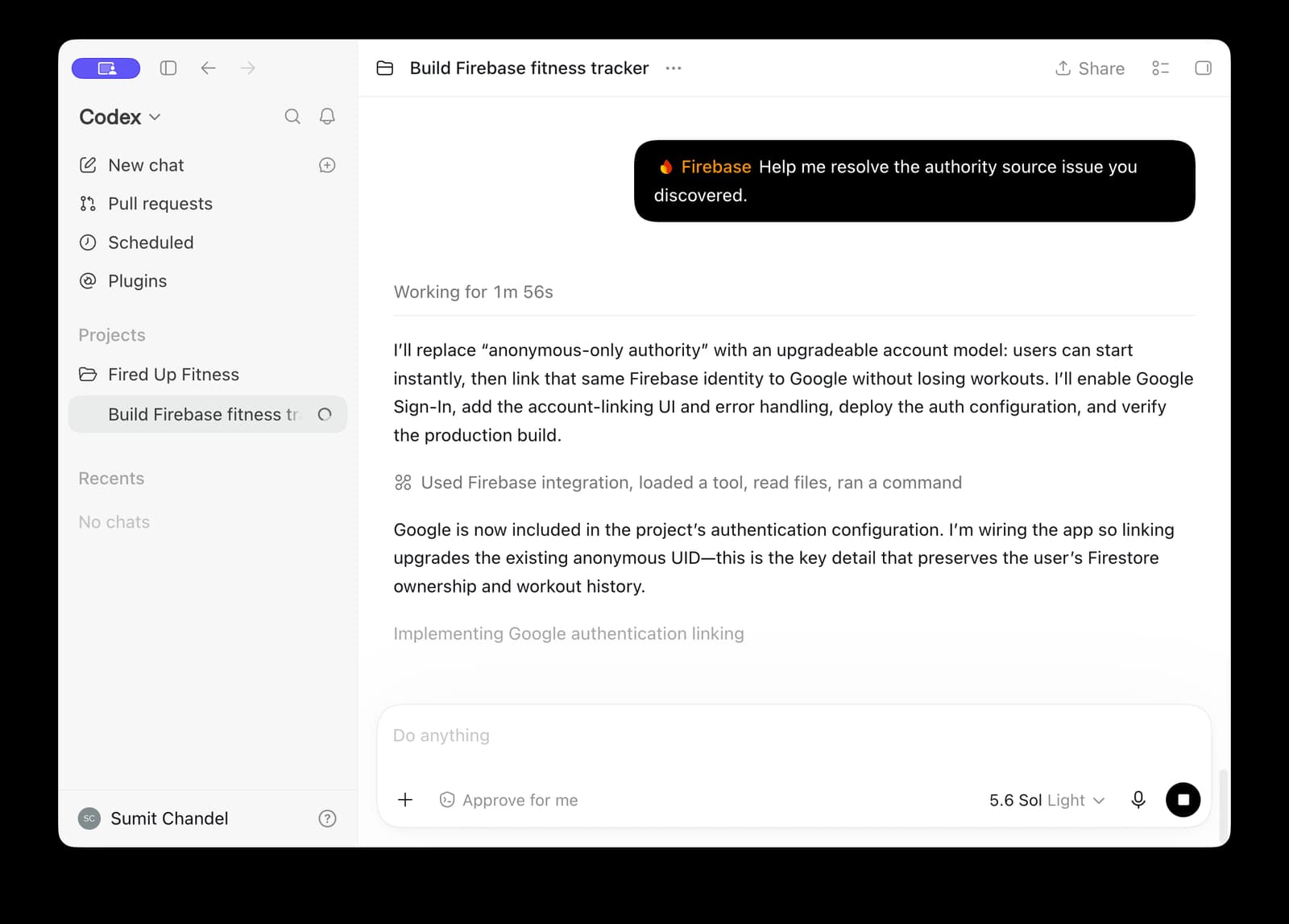
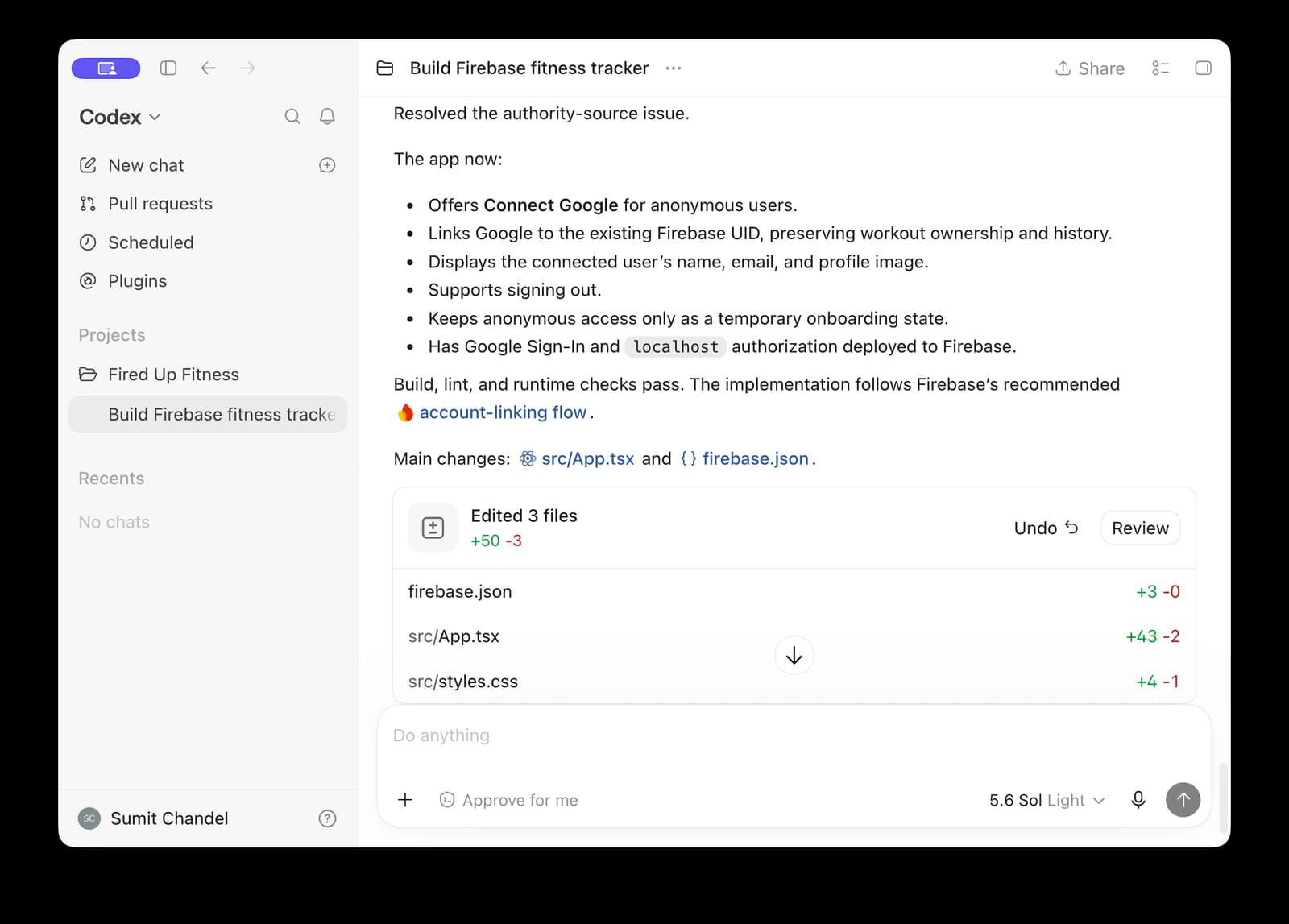
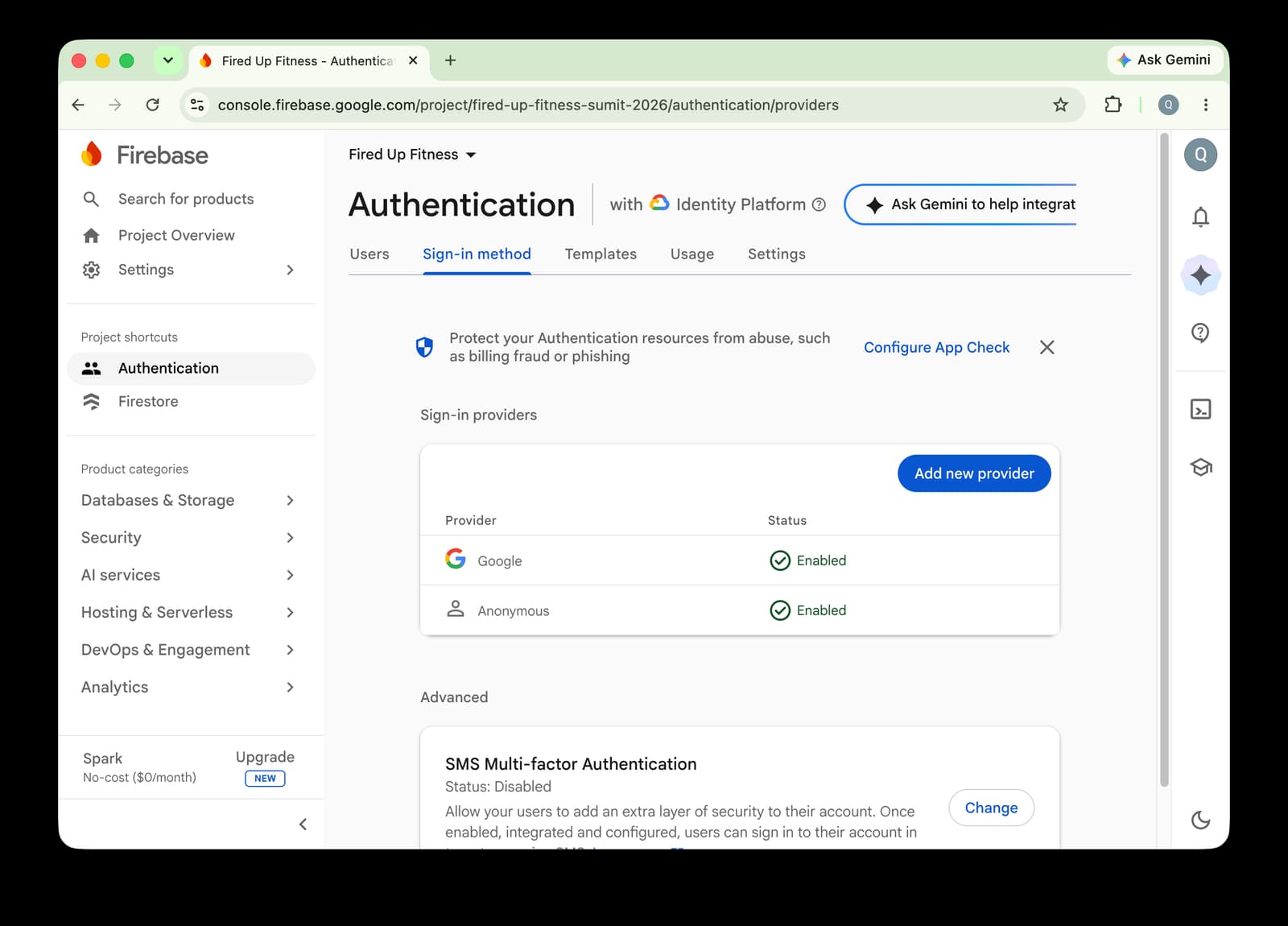
If you check your Firebase project in the console and navigate to Security > Authentication, you should also now see that Google Sign-In has now been enabled as a sign-in method for authentication.
Let us know what you think
The Firebase plugin for Codex streamlines your development experience by equipping Codex with the expertise, insight, and the capability to build with Firebase. All you need to get started and try it out is to install the Firebase plugin from the Codex plugin directory.
If you’re using Codex as your coding agent for your software projects and apps, give the Firebase agent plugin a try by finding and installing it right from the Codex plugin directory – and let us know what you think!
Reach out to us on X, LinkedIn or leave us more detailed feedback on your experience.