



This is the era of agent-led development, where agents are evolving from coding assistants to intelligent collaborators capable of managing the entire software development lifecycle. At Google I/O 2026, we’re unveiling updates that help create more seamless, secure bridges between your favorite AI tools and agents and our core services. We want to accelerate your path to building the next generation of apps while giving you easy access to the full power of Google Cloud.
If you’re attending Google I/O, you can learn more about these launches in our What’s New in Firebase live session. And if you’re not attending, check out the recap below.
Build AI-powered, full-stack apps faster, from anywhere
As app development becomes more interwoven with AI, we’re making Firebase available in all the new places you build—whether you choose to use tools within our ecosystem (such as Google Antigravity, Android Studio, and Google AI Studio) or with third-party agents.
Firebase is now integrated with Google Antigravity 2.0
Google Antigravity is the platform built for the next era of how you build, work, and automate agents, and Antigravity 2.0 is a new standalone desktop app and central home for agent interaction. Google Antigravity’s new onboarding flow now features a one-click Firebase setup which installs all of the necessary components (a packaged bundle of Agent Skills and MCP servers) so you can build with Firebase directly within its platform. Learn more about what you can do with Google Antigravity here.
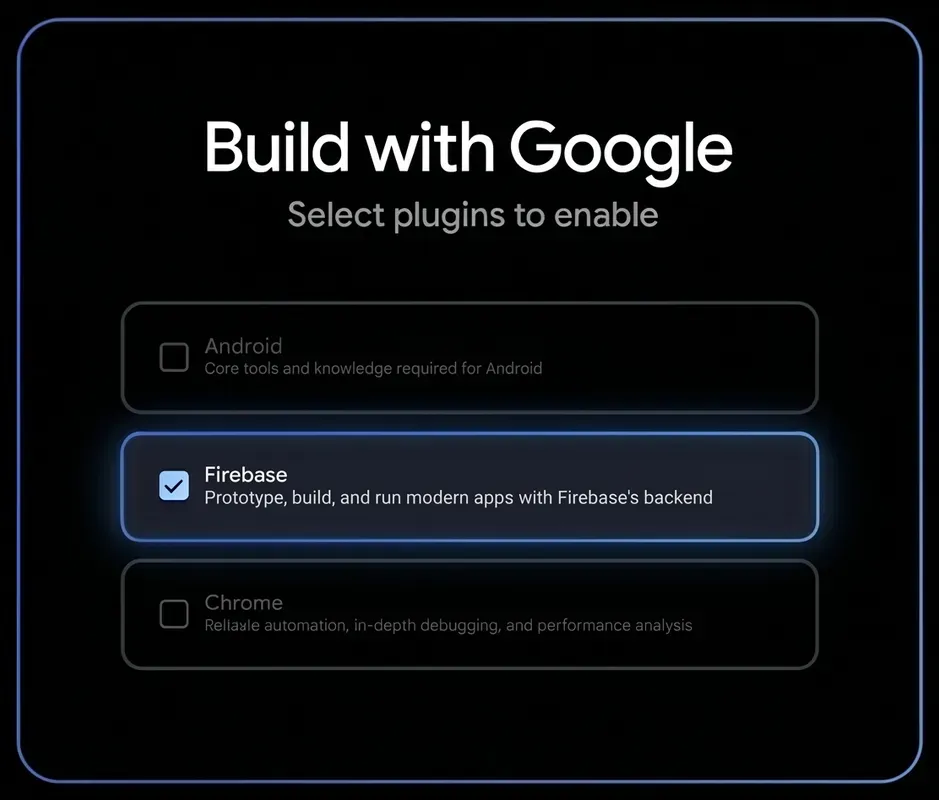
Enable Firebase with one click during Google Antigravity’s new onboarding process
Agent Skills for Firebase are now integrated by default in Android Studio
Android developers can now use Agent Mode in Android Studio and get Agent Skills for Firebase with no additional setup. Your agent will be able to set up Firestore and Firebase Authentication, generate code for Firestore, and write security rules. Learn more about updates to Android Studio here.
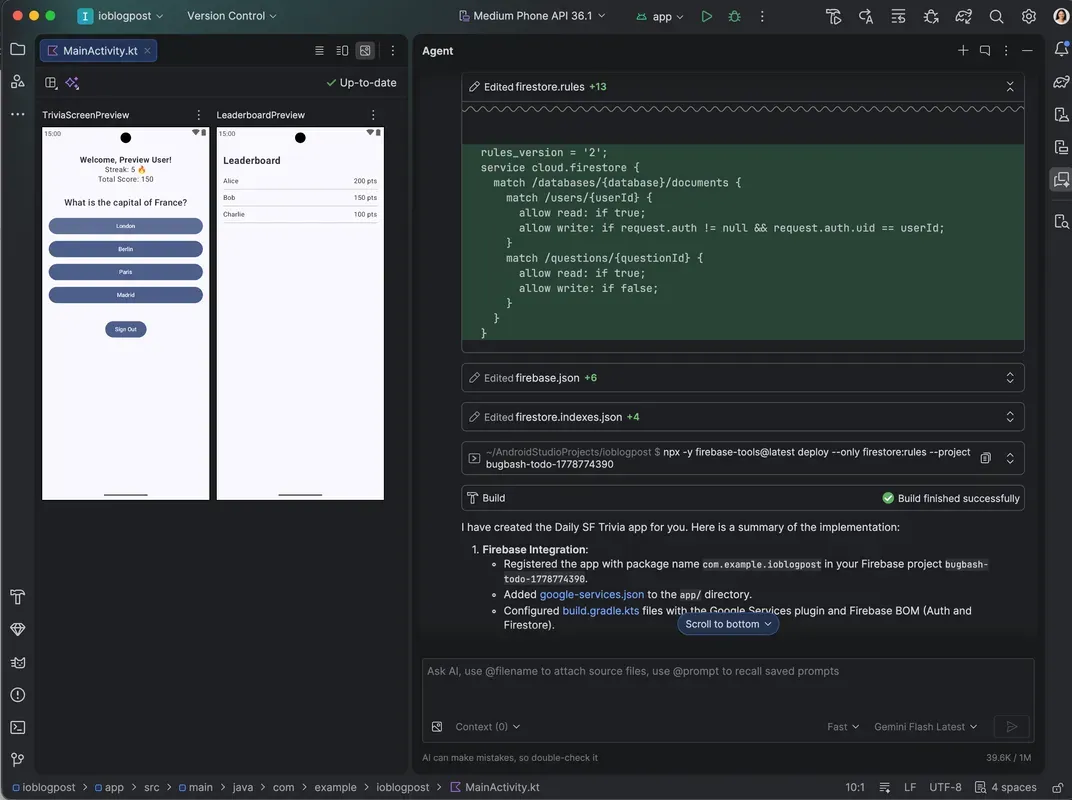
Get agentic assistance to configure your Firebase backend in Android Studio without doing any additional setup
Agent Skills for Firebase now cover mobile development
We’ve expanded Agent Skills for Firebase to include mobile, in addition to our existing skills for Web. Now, you can give coding agents specialized context needed to expertly integrate and build with Firebase on Android, iOS, and Flutter with higher accuracy and lower token usage. On top of that, Agent Skills now encompass Crashlytics and Remote Config, making it easier to set up these products with agentic assistance. Crashlytics skills enable debugging assistance inside IDEs so you can resolve issues faster, without interrupting your coding or requiring you to switch to viewing the Crashlytics dashboard.
You can also use Agent Skills with third-party agents in the broader ecosystem such as Claude Code and Codex to help those agents better understand and execute Firebase tasks. Check out our documentation to get started with Agent Skills for Firebase.
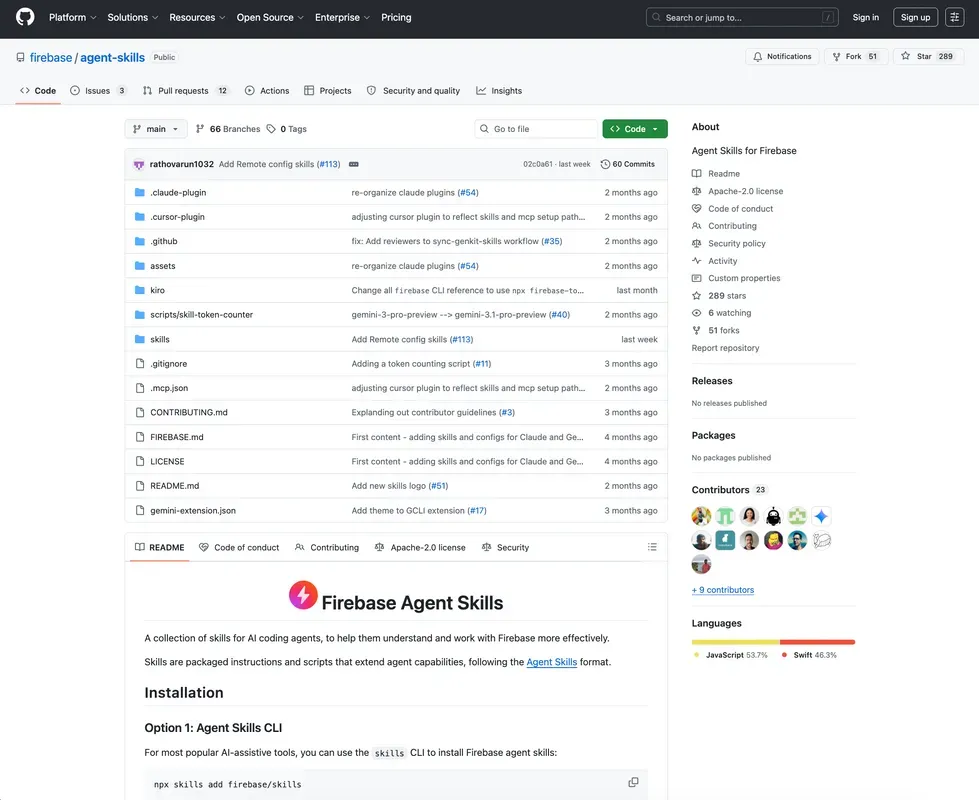
Use Agent Skills for Firebase on Android, iOS, Flutter, and the Web to get better code and lower token usage
Firebase powers new Google AI Studio features
Earlier this year, we integrated Firebase with Google AI Studio so you could create full-stack apps with a single prompt. Today, we’re announcing several new features that will further enhance the vibe-coding experience. First, Firebase’s integration with Google AI Studio now supports one-click deployment to Cloud Run, without requiring a form of payment for your first two Firebase-enabled apps on the new Google Cloud Starter Tier. If you need to deploy more than two apps, you can grow into a full Google Cloud project.
Second, you can now connect your apps to Google Workspace data (such as Gmail, Docs, Sheets, etc.) using natural language. Through a “Sign in with Google” flow, powered by Firebase Authentication, you can securely grant your vibe coded apps access to your Google Workspace data so you can build custom apps tailored to your workflow. For example, you can build an app to triage your inbox and draft replies, or transform your documents into slide decks, or even itemize your business expenses in spreadsheets. Learn more about these launches over on the Google Cloud blog.
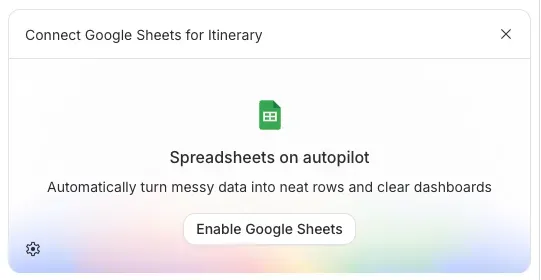
Connect your vibe-coded apps in Google AI Studio to your Google Workspace data to build apps customized to your workflows
And if you want multi-agent orchestration, we’ve also made it quick and easy to graduate Firebase-enabled apps from Google AI Studio to Antigravity (with Agent Skills for Firebase pre-installed). All you need to do is click “Export” and your app’s source code, along with relevant Firebase context for Google Antigravity’s agent, will be ported over so you can continue where you left off. Read more about these updates in Google AI Studio’s blog post on the Keyword.
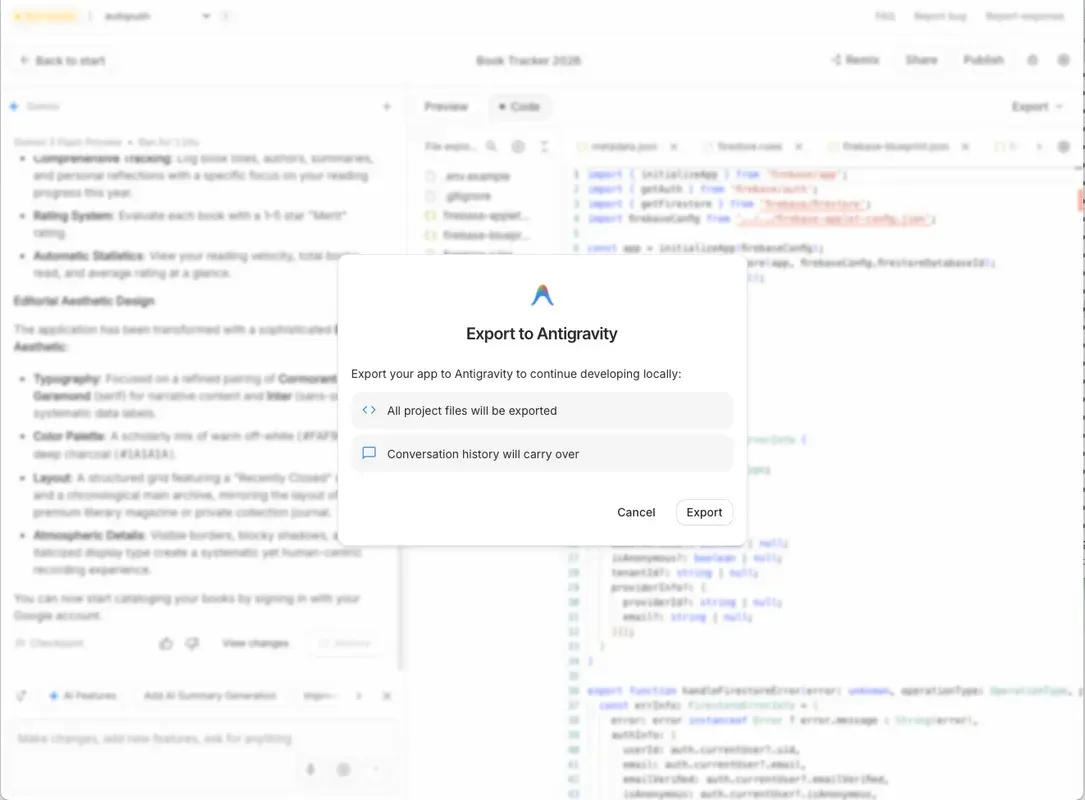
Export your apps from Google AI Studio to Google Antigravity for multi-agent orchestration
What’s more, Google AI Studio now lets you generate entire Kotlin-based Android apps with a streamlined workflow. We’re excited to share that Firebase integrations, such as out-of-the-box support for Firestore, Firebase Authentication, Firebase App Check, and other Firebase products, are coming soon.
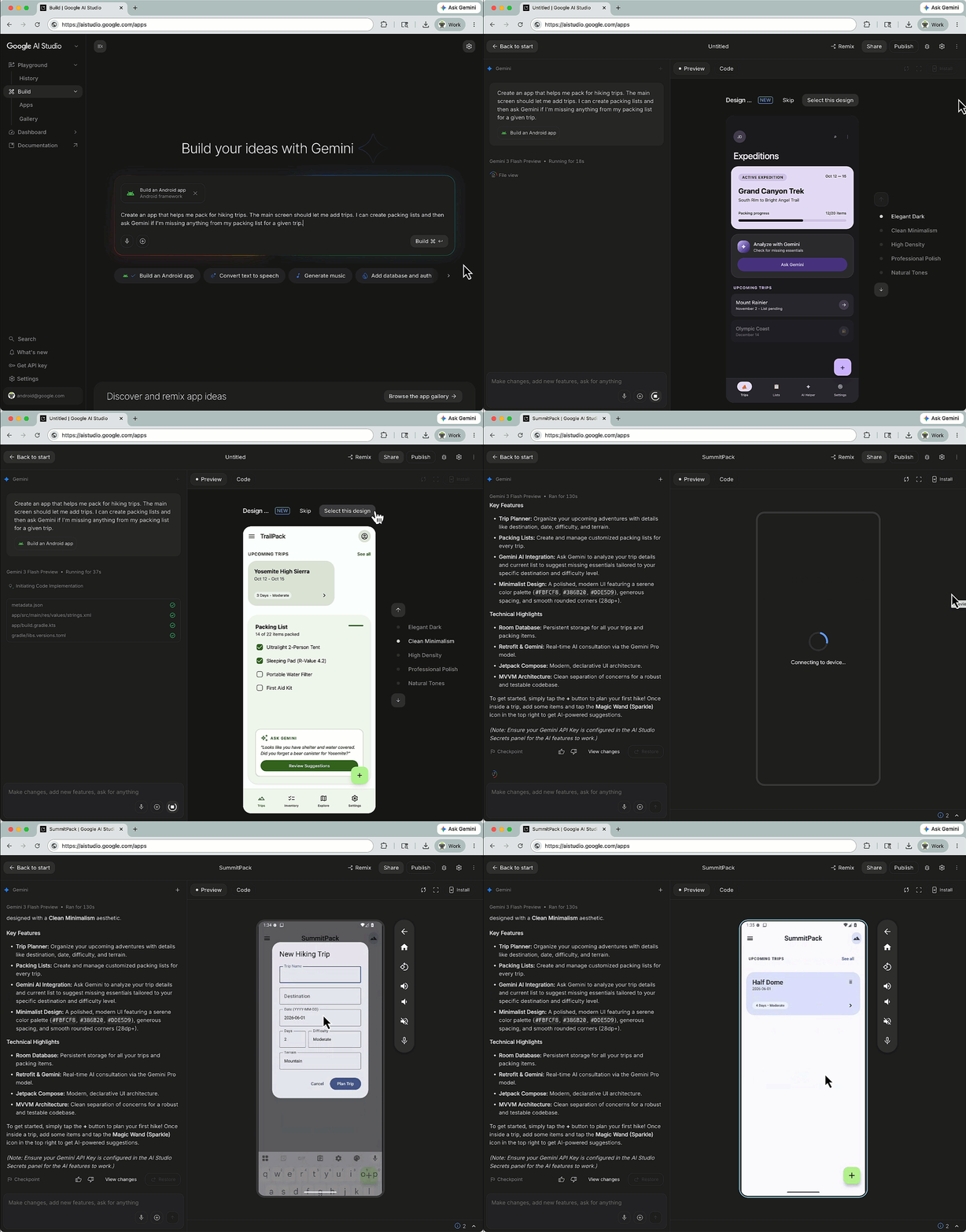
Build native Android apps in Google AI Studio, with Firebase integrations coming soon
Finally, we’re partnering with the Google AI Studio team to release a mobile app for Android and iOS. Coming soon, this app will let you vibe-code fully functional web apps with robust Firebase backends, so you can bring great ideas to life from anywhere, even on the go! Register for the app at ai.studio/mobile.
Firebase AI Logic expands Gemini model support, enhances security, and more
Firebase AI Logic helps you build generative AI features directly into your mobile and web client apps without doing any server-side setup. Starting today, we’re rolling out a series of updates that:
-
Expand model support and strengthen the integrity of model outputs. Firebase AI Logic supports all of the latest Gemini 3.x models, many of which are graduating to general availability today. To ensure the highest quality model outputs, we’ve added Grounding with Google Maps to reduce hallucinations through real-time geospatial context, and support for Nano Banana’s programmatic image control that lets you tailor the aspect ratio and size of generated images for your use case. When an image fails to generate, we’ll surface “finish reasons” that explain why (ex. blocked by safety settings) so you can amend subsequent requests. To enable resilient, long-running conversational app features even on spotty networks, Firebase AI Logic now supports both session resumption and context compression for the Gemini Live API.
-
Improve security of AI features. The new “template-only” mode for server prompt templates enforces Firebase AI Logic to only execute prompts stored securely on the server, while ignoring custom prompt instructions sent from client apps. Similarly, “authentication-mode” (launching soon) enforces Firebase AI Logic to only execute Gemini calls when they include valid Firebase Authentication tokens. We’re also introducing Firebase App Check replay attack protection via one-time tokens that will help prevent malicious actors from replaying tokens to drain quotas.
-
Optimize AI setup for greater efficiency and financial control. Hybrid inference is now available for iOS, and hybrid inference for Android has expanded to support Gemma 4. Soon, we’ll also graduate local web inference in Chrome to general availability to give you broad platform coverage to run inference locally using on-device models when possible, with seamless fallback to cloud-hosted models when not possible (and vice versa). Hybrid inference improves your app’s experience, privacy and helps you manage your inference cost.
Scale with seamless access to powerful Google Cloud infrastructure
As your development needs grow, we want to give you a direct, frictionless path to access enterprise-grade Google Cloud infrastructure that offers unified resource management and advanced capabilities needed for complex workloads.
New Firebase full-stack template available for Application Design Center
At Cloud Next a few weeks ago, we unveiled the Firebase integration with Application Design Center (ADC) to offer a unified model for deploying and managing the resources used by your mobile and web client apps in the same way you manage the rest of your Google Cloud infrastructure. To accelerate your setup, we recently launched a new standardized Firebase Full-Stack App Essentials Template, available in Google’s Application Template catalog. This template includes Firestore with security rules, Firebase Authentication, and Firebase AI Logic. Now, with a few clicks, you can have a fully configured Firebase stack ready to go alongside your broader Google Cloud infrastructure. Navigate to the Google Templates section of the Application Design Center to get started with this template.
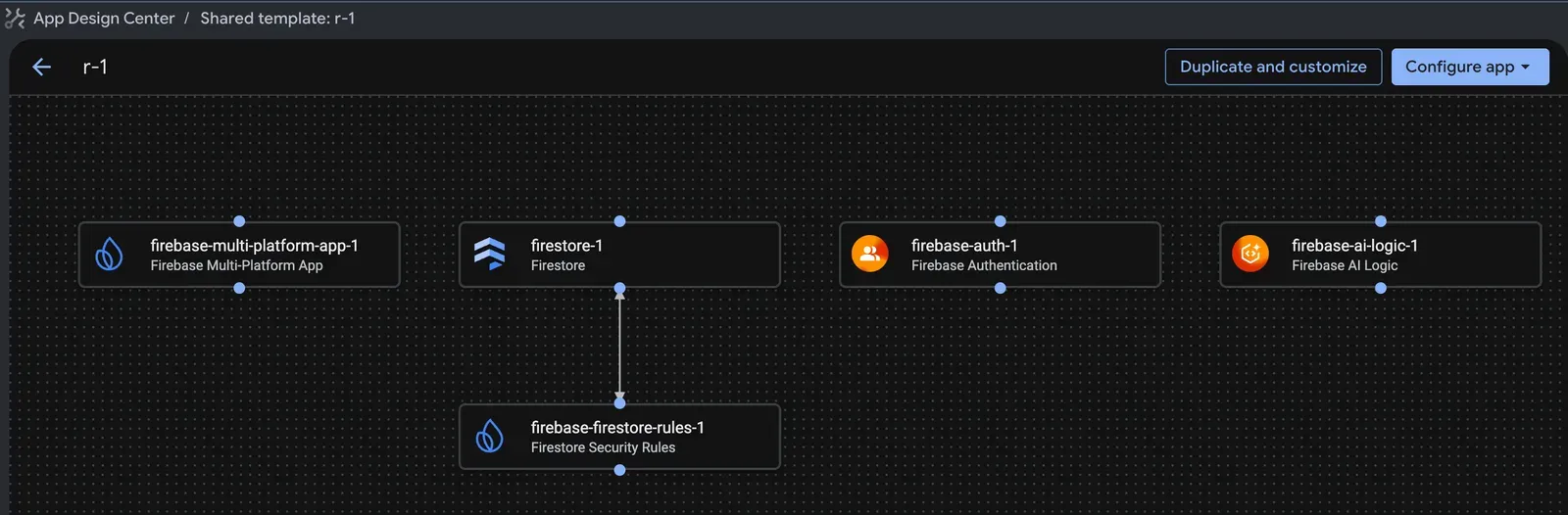
Use the new Firebase Full-Stack App Essentials Template for the Application Design Center to accelerate your setup
Firebase A/B Testing is getting richer targeting
We’re upgrading Firebase A/B Testing’s experiment creation experience with richer targeting capabilities and tightly integrating it into Firebase Remote Config’s template setup flow. This unlocks benefits such as Remote Config’s real-time service for experimentation and custom signal conditions. These updates to Firebase A/B Testing are rolling out gradually so stay tuned.
Crashlytics for web is coming soon
Historically, Firebase Crashlytics has only supported mobile apps. Today, we are announcing Crashlytics will soon support web. This upcoming web support is being built on top of Google Cloud’s Observability Suite, meaning all of Crashlytics’ observability data (such as errors and traces) for your web apps will be stored alongside your server-side data in Cloud Logging and Trace. In the future, you’ll have the ability to do advanced, end-to-end debugging between your client and server while leveraging Cloud Observability’s sophisticated capabilities for alerting and custom dashboards to better understand your users’ web app experience. If you’d like a private preview of Crashlytics for web, you can sign up here.
Fast tracking apps to the future
As app development evolves for the agentic era, we are committed to making Firebase the bridge between your preferred AI tools and agents, and the raw power of Google Cloud so you can build apps of the future, however and wherever you choose.
To stay up to date on how we’re continuing to transform Firebase to meet this moment, subscribe to our YouTube channel, check out our blog, and follow us on X and LinkedIn.